

Industry Overview
Como Criar um Mapa de Processos: Guia Prático
Kelwin · 14 de maio de 2025
Por que os Mapas de Processos Transformam o Funcionamento das Equipas
Um mapa de processos vai muito além de ligar caixas e setas; é como ter um diagrama detalhado de como a sua organização funciona. Ajuda a encontrar ineficiências ocultas que abrandam as operações e prejudicam o crescimento. Pense nele como uma radiografia, revelando exatamente onde estão os estrangulamentos e o que os causa. Esta representação visual clara permite às equipas identificar áreas problemáticas, melhorar fluxos de trabalho e, em última análise, alcançar resultados superiores.
Revelar Estrangulamentos e Inconsistências Ocultas
Muitas organizações lutam contra fluxos de trabalho inconsistentes e estrangulamentos inesperados. Estes problemas escondidos frequentemente passam despercebidos, afectando silenciosamente a produtividade e os lucros. Os mapas de processos trazem luz a estas questões, mostrando claramente onde as coisas ficam presas, abrandam ou saem do caminho. Por exemplo, um mapa de processos pode revelar que um processo de aprovação simples envolve, na realidade, várias passagens de responsabilidade desnecessárias e atrasos. Compreender isto é o primeiro passo para fazer melhorias.
Promover Colaboração e Compreensão Partilhada
Os mapas de processos não apenas identificam estrangulamentos; criam também uma linguagem comum entre diferentes departamentos. Ajudam a derrubar barreiras e a construir uma compreensão partilhada de como o trabalho é efectuado. Esta perspectiva comum reduz mal-entendidos e elimina a mentalidade de "isso não é da minha responsabilidade". Além disso, os mapas de processos ajudam consultores externos a compreender rapidamente os procedimentos existentes e a oferecer recomendações valiosas, levando a uma eficiência ainda maior. Criar um mapa de processos é uma parte importante do Gestão de Processos de Negócio (BPM), ajudando as organizações a visualizar, analisar e melhorar os seus fluxos de trabalho.
Micro-Decisões e Incerteza: O Papel da IA
Um dos aspectos mais poderosos do mapeamento de processos é a sua capacidade de destacar as pequenas decisões do dia a dia que ocorrem em qualquer fluxo de trabalho. Estas micro-decisões, frequentemente tomadas instintivamente por membros experientes da equipa, podem ter um grande impacto no resultado final. No entanto, estas micro-decisões envolvem frequentemente incerteza. Por exemplo, um comercial pode oferecer um desconto baseado numa sensação sobre um cliente, uma decisão que nem sempre é acertada.
É aqui que entra a IA. Ao adicionar previsões alimentadas por IA a um mapa de processos, as empresas podem reduzir a incerteza nessas decisões-chave. Os algoritmos de IA analisam dados passados e condições actuais para prever o melhor curso de ação, automatizando essencialmente a tomada de decisões e minimizando erros humanos. Esta mudança de escolhas reactivas para decisões proactivas baseadas em dados melhora significativamente a eficiência e leva a resultados mais previsíveis e positivos. Isto transforma os mapas de processos de imagens estáticas em ferramentas dinâmicas para melhoria contínua e automação inteligente.
Seleccionar as Ferramentas Certas para a Sua Jornada de Mapeamento
Criar um mapa de processos é mais do que desenhar caixas e setas. Trata-se de escolher cuidadosamente as ferramentas certas e compreender as pequenas decisões dentro do seu processo, para que possa melhorá-las. As ferramentas certas transformam um diagrama confuso num plano poderoso para eficiência e até automação. Esta secção ajudá-lo-á a escolher o melhor software e técnicas para as suas necessidades de mapeamento de processos.
De Notas Autocolantes a Software Sofisticado
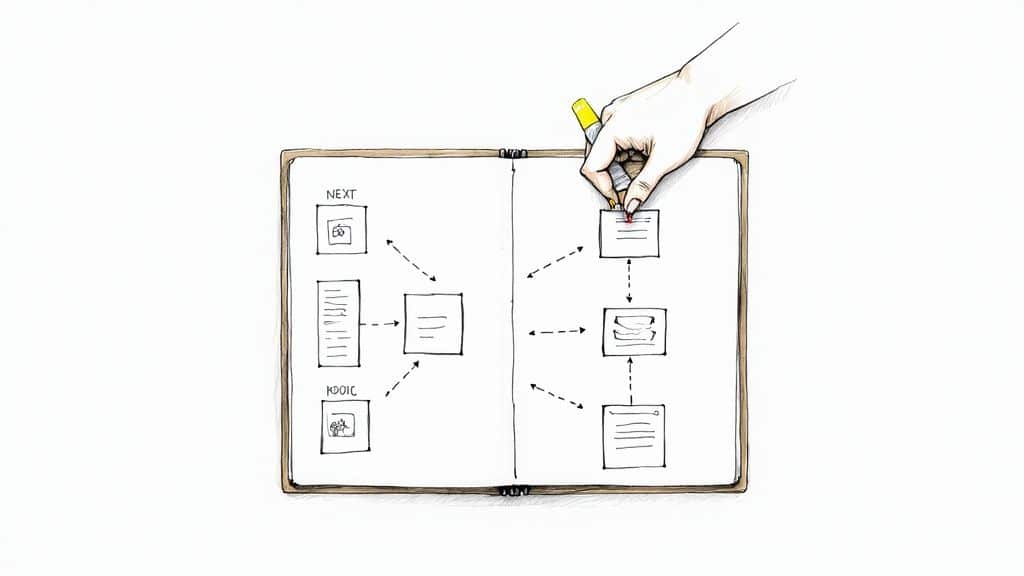
A infografia acima mostra os primeiros passos do mapeamento de processos, onde uma equipa usa notas autocolantes para delinear os passos principais. Esta abordagem simples e visual destaca a importância da clareza e colaboração nos primeiros estágios. A partir destes esboços básicos, pode passar para ferramentas digitais mais avançadas para análise detalhada e trabalho de equipa mais fácil.
Escolher a Melhor Opção para as Suas Necessidades
Vários factores afectam a sua escolha de software de mapeamento de processos. Considere o seu orçamento, a complexidade dos seus processos, se a sua equipa precisa de colaborar e se deseja usar IA para ajudar na tomada de decisões. Ferramentas básicas de fluxograma podem funcionar para fluxos de trabalho simples. Mas processos complexos e multi-departamentais geralmente precisam de plataformas mais robustas com funcionalidades como diagramas de swimlane e mapeamento hierárquico.
Usar uma notação padrão como Business Process Model and Notation (BPMN) pode melhorar significativamente a clareza e comunicação entre equipas. O mercado de software de mapeamento de processos está a crescer rapidamente e prevê-se que atinja 82 mil milhões USD até 2031. Isto mostra o quanto as empresas procuram soluções efectivas de optimização de processos. Este crescimento é impulsionado pela necessidade de operações de negócio claras e padronizadas. Contudo, persistem desafios, como uma lacuna de competências (afectando quase 35% das organizações) e falta de conhecimento sobre BPMN (afectando mais de 20% dos profissionais). Saiba mais sobre o estado actual do mapeamento de processos e estes desafios aqui.
Para ajudá-lo a comparar algumas opções populares, veja esta tabela:
Comparação de Software de Mapeamento de Processos: Esta tabela compara as funcionalidades, preços e capacidades de ferramentas populares de mapeamento de processos para ajudá-lo a escolher a melhor para as suas necessidades.
| Software | Intervalo de Preços | Funcionalidades de Colaboração | Suporte BPMN | Capacidades de Integração | Facilidade de Uso |
|---|---|---|---|---|---|
| Lucidchart | Gratuito – 70+ USD/utilizador/mês | Colaboração em tempo real, comentários, controlo de versões | Sim | Vasta gama de integrações | Fácil |
| Miro | Gratuito – 16+ USD/utilizador/mês | Colaboração em tempo real, comentários, vídeo-chat integrado | Limitado | Muitas integrações | Fácil |
| Draw.io | Gratuito | Colaboração em tempo real | Sim | Integrações limitadas | Moderado |
| Visio | 5+ USD/utilizador/mês | Co-autoria em tempo real, comentários | Sim | Ecossistema Microsoft | Moderado |
| Kissflow | 390+ USD/mês | Gestão de tarefas, discussões, notificações | Diagramas tipo BPMN | Integrações limitadas | Fácil |
Como pode ver, cada ferramenta oferece uma combinação diferente de funcionalidades e preços. Considere as suas necessidades específicas e orçamento ao fazer a sua escolha.
Abraçar Colaboração e IA para Melhor Tomada de Decisões
As plataformas de mapeamento colaborativo estão a tornar-se extremamente importantes, especialmente para equipas remotas. Funcionalidades como edição em tempo real, comentários e controlo de versões facilitam muito o trabalho em equipa. Além disso, adicionar IA ao seu mapa de processos pode melhorar significativamente a tomada de decisões.
Ao mapear todas as micro-decisões, vê claramente onde existe incerteza. Por exemplo, pense num ponto de decisão num processo de atendimento ao cliente onde os agentes decidem se devem conceder um reembolso. Ao mapear os critérios utilizados, os algoritmos de IA podem aprender a prever se um pedido de reembolso é válido. Isto ajuda os agentes a tomar decisões mais rápidas e consistentes, o que torna os clientes mais felizes e as operações mais eficientes. Veja este artigo interessante: Como dominar a sua estratégia de IA.
Escolher as ferramentas certas de mapeamento de processos é um passo importante para optimizar os seus fluxos de trabalho e tirar o máximo proveito da automação de decisões orientada por IA. A transição de documentação estática para uma plataforma dinâmica de melhoria e automação é fundamental para o sucesso a longo prazo num ambiente empresarial competitivo.
Criar o Seu Primeiro Mapa de Processos que Realmente Funciona
Esqueça toda a teoria; vamos ser práticos. Esta secção guia-o na criação de um mapa de processos que reflecte genuinamente como o trabalho é realizado. Vamos focar-nos naquelas pequenas decisões quotidianas onde a IA pode realmente fazer diferença. Abordaremos como definir limites, descobrir contorno-caminhos ocultos e navegar desacordos sobre "como as coisas realmente funcionam".
Definir Limites e Âmbito Claros
Primeiro: defina os pontos de início e fim do seu processo. É como enquadrar uma fotografia. Precisa decidir o que está na imagem e o que fica de fora. Isto previne excesso de âmbito, onde o mapa de processos tenta incluir tudo e se torna uma confusão total. Por exemplo, se está a mapear o seu processo de vendas, o ponto de início pode ser "Contacto Gerado" e o ponto final "Negócio Fechado". Tudo o que fica entre estes pontos é mapeado; actividades como campanhas de marketing (geração de contactos) ou sucesso do cliente (pós-venda) ficam fora do enquadramento.
Descobrir Contorno-Caminhos Ocultos
Os procedimentos formais raramente contam toda a história. As equipas frequentemente desenvolvem contorno-caminhos informais para ultrapassar estrangulamentos ou limitações de sistemas. Estes contorno-caminhos são essenciais para compreender como o trabalho realmente acontece. A chave para descobri-los? Uma boa entrevista. Não pergunte apenas "Qual é o processo?" Pergunte coisas como "O que faz quando o sistema falha?" ou "Como gere encomendas urgentes?" Estas questões revelam os passos ocultos, as micro-decisões que a sua equipa toma diariamente para manter as coisas a avançar. Para informação geral e casos de uso, veja este blogue sobre mapeamento de processos.
Facilitar Acordos e Resolver Discrepâncias
As equipas frequentemente discordam sobre como os processos funcionam, especialmente em situações complexas ou multi-departamentais. Garantir que todos estão na mesma página é vital. Visualizar o processo num quadro branco e deixar que todos contribuam pode realmente ajudar a criar uma compreensão partilhada. Quando surgem discrepâncias, perguntar "Por que este passo é feito desta forma?" ou "Qual é o impacto desta decisão?" pode ajudar a identificar a raiz do desacordo e encontrar terreno comum.
Capturar Micro-Decisões e Quantificar Incerteza
Dentro de qualquer processo, há toneladas de pequenas decisões a serem tomadas. Estas micro-decisões, embora aparentemente insignificantes, acumulam-se e afectam a eficiência geral. Documente cada ponto de decisão, incluindo os critérios utilizados, a informação necessária e os possíveis resultados. Crucialmente, tente quantificar a incerteza em torno de cada decisão. Por exemplo, se uma decisão se baseia numa "intuição" de um comercial, a incerteza é elevada. Este mapeamento detalhado destaca áreas prontas para melhoria com IA.
Aproveitar IA para Tomada de Decisões Preditiva
Uma vez que tenha mapeado as micro-decisões e a sua incerteza, pode começar a pensar em como a IA pode intervir. Para decisões com elevada incerteza, os algoritmos de IA podem analisar dados passados, condições actuais e até factores externos para fazer previsões. Estas previsões levam a uma melhor tomada de decisões e menos conjecturas. Por exemplo, a IA pode prever rotatividade de clientes ou conversão de contactos, permitindo acções mais direccionadas e efectivas. Ao incorporar IA no seu mapa de processos, passa de simplesmente documentar "o que é" para prever "o que pode ser". Isto transforma o seu mapa numa ferramenta dinâmica para melhoria contínua, impulsionando a eficiência e a tomada de decisões informadas. Conseguirá identificar oportunidades de automação e usar o seu mapa de processos como um plano para melhoria inteligente de processos.
Dominar Mapeamento Avançado para Processos Complexos
Já dominou o básico do mapeamento de processos? Excelente! Agora, vamos elevar o nível e explorar como visualizar esses fluxos de trabalho realmente intrincados. Estamos a falar de ir além de processos simples e directos e mergulhar em métodos que capturam todas as voltas e reviravoltas de sistemas complexos. É aqui que o mapeamento avançado realmente brilha.
Diagramas de Swimlane: Clarificar Responsabilidades
Já viu uma piscina dividida em pistas? Um diagrama de swimlane funciona de forma similar. Cada pista representa uma equipa ou departamento diferente envolvido no processo. Esta separação visual torna extremamente claro quem é responsável por cada passo. Isto mantém toda a gente alinhada e ajuda as equipas a manter-se responsáveis. Pense num processo de integração de clientes: pode ter pistas separadas para vendas, marketing e suporte ao cliente, mostrando claramente a contribuição de cada equipa para o fluxo geral.
Mapas Hierárquicos: Conectar a Visão Geral aos Detalhes
Quando está a lidar com um processo massivo e complicado, os mapas hierárquicos são seus melhores amigos. Estes mapas fornecem diferentes níveis de detalhe. Os executivos obtêm a visão geral de alto nível, enquanto as equipas individuais podem ampliar as suas áreas específicas. Esta abordagem em camadas mantém as coisas claras em cada nível, desde a estratégia de quadro geral até às tarefas quotidianas. É um pouco como o Google Maps permite que amplie para ver o país inteiro ou reduza para ver ruas individuais.
Documentar Caminhos Condicionais e Árvores de Decisão
Sejamos honestos, os processos do mundo real raramente são directos. Estão cheios de decisões e caminhos diferentes baseados em várias condições. Os mapas de processos avançados precisam de capturar esta complexidade. Isto envolve usar pontos de decisão, frequentemente mostrados como losangos, para ilustrar onde o processo se ramifica baseado em critérios específicos. Ao mapear cuidadosamente estas árvores de decisão, obtém uma compreensão muito mais clara do que está a influenciar o seu fluxo de processos.
Integrar Dados para Melhorias Quantitativas
Quer realmente optimizar os seus processos? Não pare na visualização simples. Traga dados concretos! Adicionar informação sobre tempo, custo e recursos dá-lhe uma compreensão muito mais rica do desempenho. Isto ajuda a identificar estrangulamentos, não apenas nos próprios passos, mas também em como os recursos estão a ser utilizados. Por exemplo, visualizar o tempo gasto em cada passo pode revelar atrasos inesperados e destacar áreas para melhoria. Adicionar metodologias como layering pode impulsionar o seu mapeamento de processos ainda mais, permitindo análise mais profunda e potencialmente eliminando até 80% dos problemas de processos. Quer aprender mais? Veja isto: Layering: A New Approach to Business Process Mapping.
Micro-Decisões e IA: Automatizar o Incerto
Como já discutimos, capturar com precisão aquelas pequenas decisões quotidianas – as micro-decisões – é fundamental para optimizar processos. Em cada ponto de decisão, certifique-se de definir os critérios utilizados, os dados necessários e quanto incerteza está envolvida. Esta documentação detalhada prepara o terreno para trazer soluções potenciadas por IA. Os algoritmos de IA podem analisar os dados mapeados, prever resultados e até automatizar decisões baseadas em regras predefinidas ou padrões aprendidos. Quer saber mais sobre automatizar processos com IA? Dê uma olhada nisto: How to Master Intelligent Process Automation. Esta combinação de mapeamento detalhado de processos e IA transforma a documentação estática numa ferramenta dinâmica para melhoria contínua e inteligência automatizada. Ao compreender as incertezas dentro de cada micro-decisão, pode usar estrategicamente a IA para impulsionar a eficiência e minimizar erros humanos.
Mapear o Invisível: Capturar Pontos de Decisão Cruciais
A verdadeira magia de um mapa de processos não é apenas mostrar os passos, mas descobrir os pontos de decisão que realmente impulsionam os seus resultados. Estas decisões, grandes e pequenas, são os momentos críticos onde as escolhas da sua equipa podem levar ao sucesso ou, bem, ao contrário. Esta secção explora como encontrar estes pontos críticos, analisar a incerteza envolvida e ver como a IA pode transformá-los em ouro para automação.
Identificar Pontos de Decisão Formais e Informais
Os pontos de decisão vêm em dois tipos principais: formais e informais. As decisões formais são normalmente documentadas, como um processo de aprovação com regras estabelecidas. Pense nisto como um caminho bem percorrido, toda a gente sabe para onde vai.
As decisões informais, por outro lado, são frequentemente não documentadas, julgamentos "fora da estrada" baseados em experiência e instinto. Um comercial oferecendo um desconto baseado numa intuição é um exemplo clássico de um ponto de decisão informal, mas importante. Identificar tanto decisões formais como informais é essencial para um mapa de processos completo.
Revelar Critérios de Decisão e Incerteza
Uma vez que tenha localizado os seus pontos de decisão, é hora de mergulhar mais a fundo e descobrir os critérios por trás deles. Para decisões formais, isto pode estar claramente escrito. Mas para as informais, precisará conversar com a sua equipa. Pergunte-lhes coisas como "O que influencia esta decisão?" ou "Que informação considera?" Isto ajuda a descobrir o raciocínio oculto que impulsiona estas escolhas.
A seguir, olhe para a incerteza em cada ponto de decisão. Elevada incerteza significa que os resultados são difíceis de prever, frequentemente dependendo de suposições. É aqui que a IA pode tornar-se seu novo melhor amigo.
Quantificar Incerteza de Decisão e Seu Impacto
A incerteza não é apenas um sentimento vago, pode ser medida. Dependendo do tipo de decisão, pode usar dados históricos para calcular a probabilidade de diferentes resultados. Imagine uma equipa de vendas descobrindo que apenas 60% dos descontos baseados em "intuição" realmente fecham negócios. É uma bandeira vermelha para elevada incerteza!
Medir incerteza não é apenas um exercício numérico; tem um impacto real no seu resultado final e experiência do cliente. Resultados imprevisíveis podem levar a serviço inconsistente, oportunidades de vendas perdidas ou custos mais altos.
Usar IA para Prever e Automatizar Decisões
Quer aprender mais sobre decisões orientadas por dados? Veja este artigo: How to master data-driven decision-making. A IA pode analisar dados passados e condições actuais para prever as melhores escolhas naqueles pontos complicados de incerteza. Isto transforma conjecturas em decisões inteligentes, impulsionando consistência e eficiência.
Imagine a equipa de vendas agora munida de uma ferramenta de IA que analisa dados de clientes e prevê a chance de fechar um negócio com um desconto. Isto capacita-os a oferecer descontos estrategicamente, aumentando taxas de fechamento e lucros.
Mapear Tipos de Decisão para Oportunidades de Automação
Nem todas as decisões são iguais quando se trata de automação. Uma decisão simples baseada em regras, como aprovar despesas pequenas, pode ser facilmente automatizada. Decisões mais complexas com muitas variáveis podem ainda beneficiar de previsões potenciadas por IA para assistir julgamento humano.
Para ilustrar isto, veja uma tabela resumindo os diferentes tipos de decisões de processos e as suas características:
Tipos de Decisões de Processos e Suas Características
| Tipo de Decisão | Características | Nível de Incerteza Típico | Requisitos de Informação | Potencial de Automação | Exemplos |
|---|---|---|---|---|---|
| Baseada em regras | Critérios predefinidos, resultados consistentes | Baixo | Regras e limiares claramente definidos | Elevado | Aprovar relatórios de despesas abaixo de 100 USD, encaminhar automaticamente consultas de clientes |
| Baseada em julgamento | Depende de experiência, conhecimento e intuição | Médio a Elevado | Experiência, conhecimento de mercado, dados de clientes | Médio (assistida por IA) | Negociar contratos, oferecer descontos personalizados, aprovar candidaturas de empréstimos |
| Preditiva | Previsões orientadas por dados e probabilidades | Médio | Dados históricos, informação de mercado em tempo real, modelos preditivos | Elevado (com IA) | Gestão de inventário, detecção de fraude, previsão de procura |
Esta tabela mostra como compreender o tipo de decisão ajuda a identificar as melhores oportunidades para automação.
Ao categorizar os seus pontos de decisão, essencialmente cria um roteiro para automação, mostrando exactamente onde a IA pode fazer a maior diferença. Isto transforma o seu mapa de processos de um documento estático num plano dinâmico para melhoria e automação inteligente. Mapear estes pontos de decisão frequentemente invisíveis é a chave para desbloquear onde padronização, treinamento ou IA podem impulsionar os seus processos.
Transformar Decisões em Inteligência Automatizada
O seu mapa de processos não é apenas um documento; é um plano para automação. Pense nele como um guia de onde pode implementar IA, transformando pontos de decisão em oportunidades para acção inteligente. Ao compreender os elementos incertos de cada decisão, pode aplicar estrategicamente IA para criar um processo mais eficiente e dinâmico.
Machine Learning: Prever Resultados e Identificar Oportunidades
Os algoritmos de machine learning podem mergulhar nos dados do seu mapa de processos, encontrando padrões ocultos e prevendo o que pode acontecer a seguir. Isto vai muito além do que os humanos conseguem normalmente identificar, revelando áreas prontas para optimização. Por exemplo, ao analisar dados históricos de vendas, a IA pode prever quais contactos têm maior probabilidade de converter, deixando as equipas de vendas focar a sua energia e fechar mais negócios. Este poder preditivo transforma um documento estático numa ferramenta de previsão dinâmica.
Tomada de Decisão Assistida por IA: Complementar Julgamento Humano
A IA não é sobre substituir julgamento humano, é sobre torná-lo melhor. A IA pode oferecer insights orientados por dados e previsões, ajudando as pessoas a fazer decisões mais inteligentes em pontos críticos. Isto é especialmente útil em situações incertas, onde as decisões tradicionalmente dependiam de intuição ou suposições. Imagine aprovações de empréstimos: a IA pode analisar dados de candidatos, prevendo a chance de incumprimento, e capacitando agentes de empréstimos a fazer escolhas mais informadas. Esta mistura de experiência humana e insights de IA leva a resultados mais precisos e consistentes.
Exemplos Reais de Automação Orientada por IA
Muitas organizações já estão a usar IA para automatizar decisões baseadas em mapas de processos. Aprovações rotineiras, como despesas, podem ser totalmente automatizadas usando regras predefinidas. Decisões mais complexas, como preços dinâmicos, podem usar previsões de IA para mudar preços instantaneamente, respondendo à procura do mercado e concorrentes. Isto liberta funcionários humanos para trabalho mais estratégico e criativo.
Process Mining: Melhoria Contínua e Adaptação
O process mining leva as coisas mais longe ao comparar continuamente como o seu processo realmente funciona contra o ideal delineado no seu mapa. Isto revela desvios e estrangulamentos, dando-lhe oportunidades para refinar processos ao longo do tempo. É um circuito de feedback contínuo, mantendo o seu mapa de processos relevante e efectivo à medida que as coisas mudam. Imagine o process mining mostrar que um passo na manufatura consistentemente demora mais tempo do que planeado, destacando uma área potencial para melhoria ou automação.
De Documentação para Automação: Um Plano para o Sucesso
Ao mapear o seu processo, identificar decisões-chave e quantificar incertezas, está a construir um plano direccionado para aplicar IA. Isto transforma o seu mapa de processos de um documento estático num plano dinâmico para automação inteligente. Consegue ver exactamente onde padronização, treinamento ou implementação de IA terão o maior impacto, impulsionando eficiência e minimizando erros. Isto permite que a sua organização não apenas compreenda os seus processos, mas que os molde para maior sucesso.
Pronto para transformar os seus processos de negócio com IA? Visite NILG.AI para descobrir como as nossas soluções de IA podem desbloquear novos níveis de eficiência, automatizar decisões e impulsionar crescimento. Oferecemos estratégias personalizadas, ferramentas de automação inteligente e treino especializado para capacitar as suas equipas e optimizar os seus fluxos de trabalho. Deixe-nos ajudar a transformar o seu mapa de processos num roteiro para o sucesso.