

Guide: Explainer
Automatização de Faturas: Otimize o seu AP em 2026
NILG.AI · 15 de junho de 2026
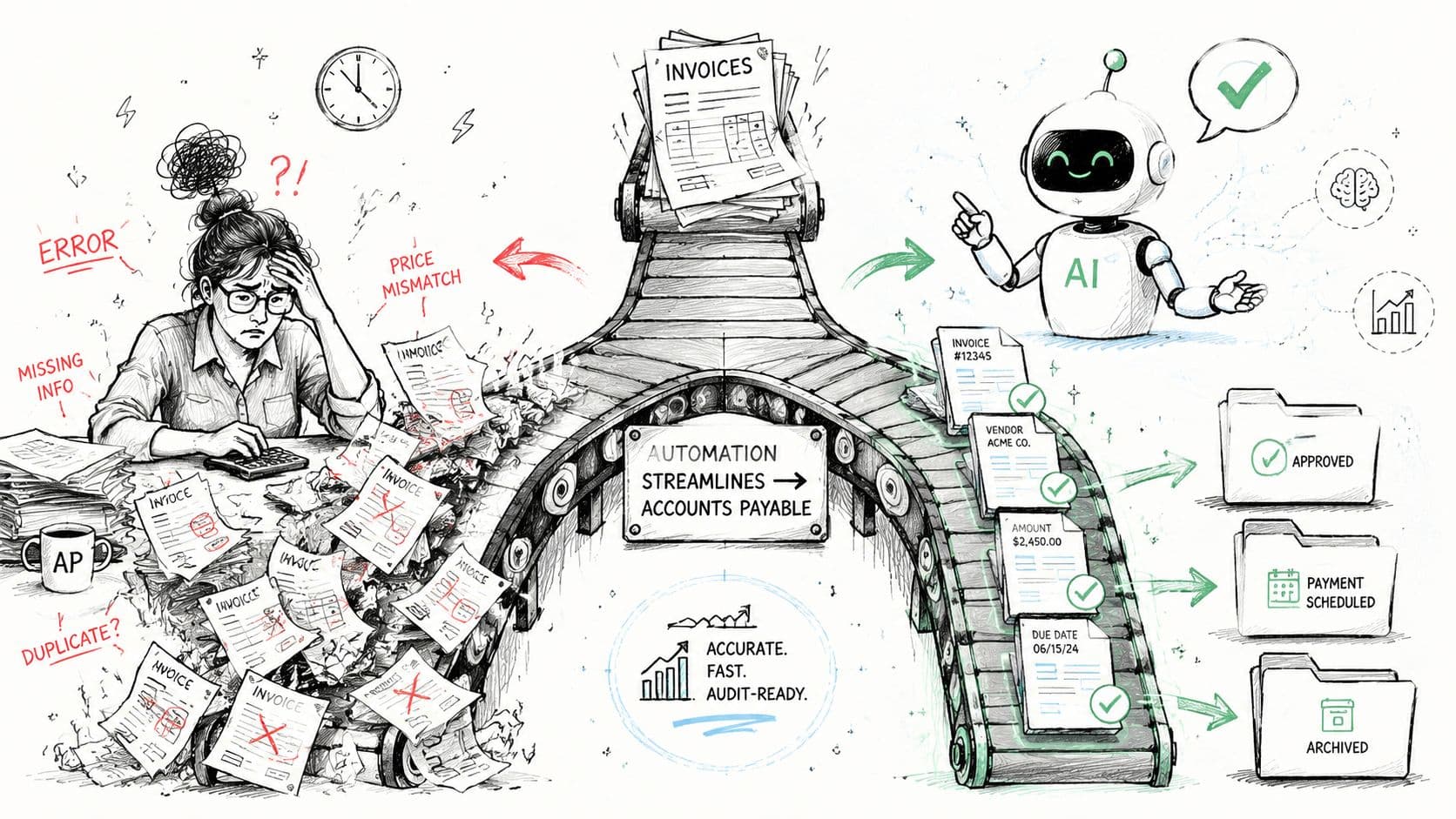
A última semana do mês tem um ritmo familiar em muitas equipas de finanças. As faturas estão em caixas de correio partilhadas, alguém está a introduzir dados de PDFs no ERP, os aprovadores são lentos a responder, e a equipa de AP alterna entre correio, folhas de cálculo e ecrãs contabilísticos tentando responder a uma pergunta elementar: o que está pronto a pagar e o que está bloqueado?
É geralmente nessa altura que o custo oculto do AP manual fica evidente. O problema não é apenas a mão de obra. São as aprovações atrasadas, as verificações de duplicatas, as encomendas de compra em falta, as mensagens de fornecedores a pedir actualizações, e a sensação constante de que o processo só funciona porque algumas pessoas com experiência o mantêm de pé.
A automatização de faturas é importante porque muda esse modelo operacional. Transforma o AP de uma perseguição reactiva de documentos numa sequência de trabalho controlada, com regras, validação e visibilidade. Quando bem executada, poupa dinheiro, reduz erros evitáveis e devolve tempo às equipas de finanças para trabalho que exige discernimento.
O Fim da Loucura do Final do Mês
Um gestor de finanças no final do mês geralmente não está a lidar com um grande problema. Está a lidar com cinquenta pequenos problemas simultaneamente.
Chega uma fatura de um fornecedor como anexo em PDF. Outra vem como uma digitalização mal legível. Uma terceira refere uma encomenda de compra que existe, mas o recebimento de bens ainda não foi registado. Um aprovador está em viagem. Outro quer "apenas uma pequena correcção" antes de assinar. Entretanto, a equipa de AP está a tentar fechar o mês sem pagar a quantia errada ou perder uma data limite.
É exatamente assim que é o faturamento manual. É confuso, interrupto e frágil.
Como o caos se manifesta na prática
Na prática, a pressão do final do mês geralmente aparece assim:
- Constrangimentos de entrada de dados: O pessoal reteclografa nomes de fornecedores, números de fatura, totais e linhas de itens a partir de documentos que já contêm os dados.
- Atrasos nas aprovações: As faturas aguardam em caixas de correio porque o encaminhamento depende de pessoas lembrarem o que fazer a seguir.
- Visibilidade fraca do estado: Os líderes de finanças não conseguem dizer rapidamente quais as faturas aprovadas, disputadas ou com documentação em falta.
- Risco de controlo: Faturas duplicadas, quantias desajustadas e documentação em falta são mais difíceis de detectar quando o fluxo de trabalho está disperso por correio e folhas de cálculo.
O problema não é que as equipas sejam negligentes. É que o AP manual pede a pessoas que façam trabalho repetitivo sob pressão de tempo, em sistemas desligados.
O sofrimento do final do mês é frequentemente uma questão de design de processo, não uma questão de pessoas.
É por isso que a automatização de faturas merece ser tratada como mais do que uma compra de software. É um afastamento dos hábitos de papel, aprovações baseadas em caixa de correio e conhecimento tribal. As equipas que modernizam estes fluxos geralmente começam a ver a mesma coisa: menos transições, responsabilidade mais clara e um processo de encerramento que não depende de gestos heróicos. Se está a considerar um redesenho de fluxo de trabalho mais amplo além do AP, esta visão geral de benefícios da automatização de processos empresariais é uma leitura complementar útil.
O Que é Automatização de Faturas e Por Que Deveria Importar
Um líder de finanças geralmente nota o problema antes de ver a solução. As faturas chegam por correio, portais de fornecedores, PDFs e documentos digitalizados. As aprovações ficam bloqueadas porque um gestor está em viagem, outro disputa uma linha de item e um terceiro precisa que detalhes de impostos locais sejam esclarecidos antes de assinar. Quando a fatura está pronta a registar, a equipa gastou mais esforço a perseguir exceções do que a processar a fatura em si.
A automatização de faturas substitui essa coordenação manual por um fluxo de trabalho sistematizado. Captura dados da fatura, verifica-os contra encomendas de compra, encaminha-os para aprovação com base em políticas e regista os registos aprovados no ERP ou sistema contabilístico. Os bons sistemas também mantêm um trilho de auditoria, identificam duplicatas e expõem exceções cedo para que a equipa possa trabalhar nas faturas que precisam de discernimento.
Este último ponto importa mais do que muitas demonstrações de software sugerem.
O objectivo não é eliminar o envolvimento humano em cada fatura. O objectivo é remover a manipulação de baixo valor de faturas padrão e dar ao pessoal de AP melhores ferramentas para os casos difíceis: desajustes de preço, recibos em falta, serviços disputados, tratamento de IVA, conversão de moeda e regras de aprovação específicas do fornecedor. O AP empresarial vive ou morre no tratamento de exceções e conformidade, especialmente em diferentes entidades e países.
Os três grandes benefícios empresariais
O caso empresarial geralmente começa com três resultados.
- Redução de custo de processamento: O AP manual consome tempo em entrada, codificação, correspondência, seguimento e correcções. Os pontos de referência da indústria resumidos na análise de custo de fatura da Resolve mostram uma lacuna de custo substancial entre o processamento manual e automatizado.
- Ciclo de tempo mais rápido: A automatização encurta o caminho do recebimento da fatura para aprovação através do encaminhamento automático de trabalho, aplicação de regras de aprovação e redução de atrasos causados por caixa de correio.
- Melhor qualidade de dados: Menos pontos de contacto manual geralmente significa menos pagamentos duplicados, erros de digitação e desajustes que precisam de ser corrigidos depois.
Esses ganhos são significativos, mas os executivos devem importar-se por uma razão mais ampla. O AP é um dos poucos processos de finanças que toca gestão de caixa, relações com fornecedores, controles internos e timing do encerramento simultaneamente. Se o processamento de faturas for lento ou propenso a erros, o impacto estende-se bem além da equipa de AP.
Por que os executivos devem importar-se
O tratamento mais rápido de faturas melhora a visibilidade nas responsabilidades acumuladas e compromissos de caixa iminentes. Menos erros manuais reduzem retrabalho, disputas de pagamento e frustração do fornecedor. O melhor controlo de fluxo de trabalho torna as aprovações mais fáceis de auditar, o que importa quando as políticas variam por entidade, limiar de despesa ou país.
É também por isso que o OCR básico não é suficiente. Muitas organizações compram ferramentas de extração e ainda acabam com pessoal de AP a fazer triagem de correio, revisão de exceções e verificações de conformidade manualmente. Uma melhor lente de avaliação é se o sistema pode suportar o seu modelo operacional real. Cadeias de aprovação multi-entidade, regras fiscais, fluxos de PO e não-PO, e caminhos de escalação para faturas bloqueadas. As equipas que avaliam esses fluxos de documentos com mais detalhe devem rever estas soluções inteligentes de processamento de documentos.
Para empresas que faturam clientes e pagam fornecedores na mesma stack de finanças, as escolhas de integração importam também. Se os seus fluxos de faturação e cobrança já funcionam através do Stripe, o guia da Suby sobre a API de Faturação do Stripe é uma referência útil para compreender como os sistemas de faturação a montante se conectam às operações de finanças a jusante.
Regra prática: Se o pessoal de AP gasta a maior parte do seu tempo a encaminhar faturas, corrigir dados e perseguir aprovações, o processo ainda está a depender de pessoas para o manter de pé. É geralmente aí que a automatização se paga a si mesma.
A Tecnologia Por Trás do Processamento Inteligente de Faturas
A forma mais fácil de compreender o processamento inteligente de faturas é vê-lo como uma linha de montagem digital. Cada etapa faz um trabalho específico. Juntas, transformam um documento recebido numa transacção verificada.
Captura e extração
Primeiro, o sistema ingere faturas de correio, PDFs, digitalizações ou papel. Depois OCR e ICR leem o documento e extraem campos como nome do fornecedor, número da fatura, número da encomenda de compra, quantidades, linhas de itens e totais.
Muitas equipas param demasiado cedo. Compram um leitor de documentos e assumem que automatizaram o AP. Não o fizeram. Apenas automatizaram os primeiros minutos do trabalho.
Para organizações que avaliam fluxos de trabalho com muitos documentos, este guia sobre soluções inteligentes de processamento de documentos ajuda a enquadrar o que a extração pode e não pode resolver sozinha.
Validar e corresponder
A próxima etapa é onde o valor fica evidente. Os sistemas eficazes validam dados extraídos contra registos de ERP, encomendas de compra e recibos usando correspondência de 2 vias ou 3 vias. O J.P. Morgan explica que esta abordagem integrada importa porque a correspondência automatizada identifica imediatamente discrepâncias em preço ou quantidade e encaminha apenas exceções para revisão de pessoas no seu guia para automatização e processamento de faturas.
É uma distinção importante. A boa automatização de faturas não tenta fazer humanos desaparecer. Remove-os do trabalho rotineiro e coloca-os onde o discernimento é necessário.
Encaminhar e registar
Uma vez validadas, o fluxo de trabalho envia faturas através de lógica de aprovação com base em regras empresariais. Isso pode incluir limiares de quantidade, propriedade departamental, entidade ou tratamento específico do fornecedor. Após aprovação, o sistema sincroniza os dados finais no ERP ou plataforma contabilística para registo, pagamento e arquivamento.
Uma forma simples de julgar a maturidade é esta:
| Etapa | O que os sistemas fracos fazem | O que os sistemas maduros fazem |
|---|---|---|
| Captura | Ler texto a partir de faturas | Extrair campos utilizáveis a partir de layouts variados |
| Validação | Verificar se os campos existem | Comparar dados da fatura a PO, recebimento e registos de ERP |
| Aprovação | Enviar alertas de correio genéricos | Encaminhar com base em política e manter trilhos de auditoria |
| Registo | Exportar ficheiros manualmente | Sincronizar dados aprovados em sistemas de finanças |
Se está a construir em torno de infraestrutura de faturação ou pagamento em vez de comprar uma suite de AP fechada, o guia da Suby sobre a API de Faturação do Stripe é uma referência prática para compreender como os fluxos de trabalho de faturação podem conectar-se a operações de finanças mais amplas.
Os melhores sistemas tratam faturas como dados a mover-se através de controlos, não como documentos a mover-se através de caixas de correio.
O Seu Roteiro para Implementação de Automatização de Faturas
A maioria dos projectos de automatização de faturas conseguem ou falham antes de o software estar totalmente configurado. As equipas que obtêm valor rapidamente geralmente tratam isto como um redesenho de modelo operacional com objectivos claros, não como um lançamento de IT genérico.
A direcção mais ampla do mercado suporta essa decisão. O mercado global de automatização de contas a pagar projecta-se para crescer de 6,17 mil milhões de dólares em 2025 para 12,46 mil milhões até 2031, de acordo com a visão geral do mercado de automatização de AP da Factua. É uma projecção, não uma garantia para qualquer empresa individual, mas reflecte como esta categoria se tornou tradicional.
Fase um, definir o caso empresarial
Comece com o processo que tem, não com aquele que as pessoas descrevem em workshops.
Mapeie como as faturas entram no negócio, quem as toca, onde as aprovações ficam bloqueadas, como as exceções são tratadas e quais os sistemas que mantêm a fonte da verdade. A liderança deve concordar no que significa sucesso. Reduzir custo por fatura? Encerramento mais rápido? Melhor conformidade? Menos escalações de fornecedor? Geralmente é uma mistura, mas uma prioridade precisa de liderar.
Uma lista de verificação de descoberta útil inclui:
- Mix de faturas: Com suporte de PO, sem PO, recorrentes, transfronteiriços e fluxos específicos de entidade
- Pontos de fricção atuais: Digitação manual, latência de aprovação, verificações de duplicatas, inconsistência de codificação
- Dependências de sistema: ERP, plataforma de compras, entrada de correio, arquivo de documentos, ferramentas de pagamento
- Requisitos de controlo: Regras de aprovação, necessidades de trilho de auditoria, separação de funções, tratamento fiscal
Fase dois, desenhar a solução
As empresas escolhem entre comprar uma plataforma, expandir ferramentas existentes ou construir fluxo de trabalho customizado em torno da sua stack de finanças. A resposta correcta depende da sua diversidade de faturas, complexidade de integração e requisitos de conformidade.
Se o seu processo é bastante padrão, uma ferramenta de automatização de AP empacotada pode ser suficiente. Se opera em múltiplas entidades, idiomas ou modelos de aprovação, pode precisar de orquestração mais especializada. Para equipas que comparam abordagens de implementação, este esclarecimento sobre automatização inteligente de processos é uma forma boa de separar automatização simples de tarefas do design de fluxo de trabalho de ponta a ponta.
Uma referência prática para planear a sequência de lançamento é este guia sobre como automatizar contas a pagar em 5 etapas, especialmente se está a alinhar stakeholders de finanças e operações em torno de um lançamento faseado.
Fase três, executar um piloto controlado
Não comece com cada tipo de fatura. Escolha uma área contida onde pode provar valor de processo sem expor toda a operação de finanças a disrupção.
Os bons candidatos a piloto tendem a ser uma unidade empresarial, uma região ou um segmento de fornecedor com padrões de fatura razoavelmente consistentes. O objectivo é validar qualidade de extração, encaminhamento de aprovação, tratamento de exceções e sincronização de ERP sob condições reais.
Após o piloto, use exemplos reais para responder a perguntas práticas. Quais as exceções que ainda precisam revisão manual? Onde as aprovações ficam bloqueadas? Quais os fornecedores que criam problemas de formatação? Que limpeza de dados mestres é necessária?
Um breve walkthrough pode ajudar stakeholders internos a ver como é "bom" na prática:
Fase quatro, escalar com gestão de mudança
A fase de lançamento é onde muitas equipas subestimam factores humanos. O pessoal de AP precisa de novos hábitos. Os aprovadores precisam de expectativas claras. A IT precisa de um modelo de suporte fiável. A liderança de finanças precisa de relatórios que mostrem se a adopção está a gerar mudança operacional.
Este é também o ponto onde faz sentido envolver um parceiro especializado em implementação se os seus fluxos de trabalho forem fragmentados ou o seu ambiente de integração for confuso. Algumas empresas usam ferramentas de AP empacotadas sozinhas. Outras combinam-nas com consultoria ou suporte de fluxo de trabalho customizado. NILG.AI é um exemplo de um parceiro que trabalha em automatização com IA, design de processo e integração de software para fluxos de trabalho empresariais, incluindo captura e validação de dados relacionados com faturas.
O objectivo da implementação não é "instalar automatização". É criar um processo em que a sua equipa confia.
Medir o Sucesso e Evitar Armadilhas Comuns
A forma mais simples de dizer se a automatização de faturas está a funcionar é comparar o seu estado anterior e posterior usando algumas métricas operacionais que a liderança de finanças já compreende.
A visão de KPI que importa
Use um pequeno scorecard primeiro. Se rastrear demasiado, o sinal fica perdido.
| Métrica | Benchmark de Processo Manual | Alvo de Processo Automatizado |
|---|---|---|
| Custo por fatura | Maior devido ao tratamento manual | Menor através de menos transições e entrada de dados |
| Ciclo de fatura | Mais longo porque o encaminhamento e validação são manuais | Mais curto porque as aprovações e verificações são automatizadas |
| Taxa de erro | Maior porque humanos reteclografam e reconciliam dados | Menor através de regras de validação e correspondência |
| Taxa de processamento directo | Menor porque a maioria das faturas precisa de pontos de contacto | Maior para tipos de fatura padrão |
| Tempo de resolução de exceção | Frequentemente inconsistente e dependente de pessoa | Mais previsível com fluxos de trabalho definidos |
O melhor conjunto de KPI depende do seu modelo operacional, mas estes geralmente contam a história rapidamente:
- Custo por fatura: Use isto para ver se a automatização remove trabalho e retrabalho.
- Ciclo de tempo: Isto mostra se as faturas se movem do recebimento para aprovação mais rapidamente.
- Taxa de erro: Rastreie entradas duplicadas, codificação incorrecta e desajustes de dados.
- Processamento directo: Útil para compreender quantas faturas passam sem intervenção manual.
- Tempo de resolução de exceção: Isto frequentemente torna-se um estrangulamento primário após o lançamento de automatização básica.
O mito do processamento sem contacto
A mensagem de fornecedores frequentemente diverge da realidade operacional. Um aspecto crítico mas frequentemente ignorado é o tratamento de exceções. O caso empresarial da automatização é frequentemente sobredimensionado. Na realidade, mesmo sistemas fortes são projectados para assinalar e encaminhar exceções para revisão humana, não para eliminá-las completamente, como discutido na análise de processamento de fatura sem contacto da Rossum.
Isso significa que o seu ROI depende menos de "Pode o sistema processar faturas perfeitas?" e mais de "O que acontece quando as faturas não são perfeitas?"
Se não desenhar o fluxo de trabalho de exceção, o fluxo de trabalho de exceção desenhar-vos o dia da equipa de AP.
As armadilhas que geralmente prejudicam o ROI
Alguns problemas aparecem repetidamente:
- Dados mestres fracos: Se os registos de fornecedor, dados de PO ou dados de recebimento forem incompletos, a lógica de correspondência não vos salvará.
- Sobre-automatização demasiado cedo: As equipas às vezes forçam todos os tipos de fatura num fluxo de trabalho antes de compreenderem onde as exceções se agrupam.
- Design de aprovação copiado de hábitos antigos: Se automatizar uma cadeia de aprovação ruim, apenas acelerem um processo ruim.
- Lacunas de integração de ERP: A extração de dados sem lógica de registo limpa ainda deixa AP a reconciliar manualmente.
- Nenhuma propriedade para exceções: Alguém deve ser responsável pelos desajustes, faturas sem PO, questões fiscais e correcções de fornecedor.
As empresas que obtêm valor mais rapidamente são geralmente aquelas que tratam exceções como um fluxo de trabalho de primeira classe, não como um caso extremo.
Automatização de Faturas no Mundo Real
Um verdadeiro teste de automatização de faturas não é a demonstração. É se o processo ainda se mantém quando o volume de faturas aumenta, os documentos chegam em formatos estranhos e nem todos os fornecedores seguem as regras.
Manufatura com tráfego pesado de PO
Um fabricante de médio porte geralmente tem uma vantagem no AP. Uma grande parte das faturas está ligada a encomendas de compra. Isso torna a automatização mais previsível porque a lógica de correspondência pode fazer muito do trabalho.
Na prática, a vitória não é apenas a entrada mais rápida. É que as faturas de rotina com suporte de PO deixam de consumir atenção humana. O pessoal de AP pode gastar menos tempo a reverificar totais e mais tempo a lidar com questões de fornecedor, desajustes de recebimento e faturas que exigem investigação. Os resultados mais fortes geralmente vêm quando a empresa padroniza caminhos de aprovação ao mesmo tempo em vez de apenas digitalizar a entrada.
E-commerce com fornecedores internacionais
Um negócio de e-commerce em crescimento enfrenta um problema diferente. As faturas de fornecedor chegam em formatos diferentes, às vezes em idiomas diferentes, e o fardo de conformidade fica mais pesado conforme as operações cruzam fronteiras.
Para negócios globais, a automatização é cada vez mais uma ferramenta de conformidade porque os sistemas modernos devem lidar com formatos de fatura diversos e idiomas, usando IA e PNL para interpretar dados não estruturados. Isto torna-se mais importante conforme mais países obrigam formatos específicos de e-faturação e relatórios fiscais digitais, como descrito na visão geral de automatização de faturas da Airwallex.
Isso muda como os líderes devem avaliar ferramentas. Um sistema que parece forte num país pode ter dificuldades quando as estruturas de entidade, regras fiscais, políticas de aprovação e layouts de fatura variam entre mercados.
O que estes exemplos têm em comum
A lição comum é simples. A automatização de faturas funciona melhor quando as empresas respeitam a nuance operacional.
- Faturas padrão devem fluir rapidamente: Faturas com suporte de PO, recorrentes e de baixo risco são onde a automatização deve ter mais peso.
- As exceções precisam de tratamento explícito: Faturas sem PO, questões fiscais e desajustes de dados mestres precisam de regras de encaminhamento claras.
- A escala global aumenta o padrão: A automatização de fatura transfronteiriça não é apenas sobre ler documentos. É sobre manter o controlo enquanto as regras locais diferem.
A versão hype da automatização de faturas diz que tudo se torna sem contacto. Na realidade, o processo torna-se gerível, visível e muito menos manual.
Como um Parceiro de IA Pode Acelerar o Seu Sucesso
A maioria das empresas não tem dificuldade com a ideia de automatização de faturas. Têm dificuldade com os detalhes de execução.
Precisam decidir se compram, configuram ou constroem. Precisam conectar captura de fatura com dados de ERP, lógica de aprovação e fluxos de trabalho de pagamento. Precisam tratar exceções sem criar um segundo processo manual ao lado. E se operam internacionalmente, precisam de um design que respeite conformidade e localização desde o início.
É por isso que um parceiro de IA e automatização pode ser útil. Não porque os líderes de AP não consigam escolher software sozinhos, mas porque a qualidade de implementação determina se o investimento muda o negócio ou apenas acrescenta outra camada de ferramentas.
Um bom parceiro ajuda com decisões práticas:
- Definir o âmbito de onde a automatização deve começar
- Desenhar fluxos de trabalho em torno de exceções reais
- Integrar sistemas sem workarounds frágeis
- Separar fluxos de fatura padrão de casos extremos de alto risco
- Treinar equipas para operar o novo processo com confiança
O melhor resultado não é uma demonstração chamativa. É um processo em que a sua equipa de finanças confia numa terça-feira normal no meio de um mês ocupado.
Se está a avaliar automatização de faturas e quer uma visão específica de como IA, automatização de fluxo de trabalho e integração de sistemas podem reduzir fricção de AP, NILG.AI pode ajudá-lo a mapear o processo, identificar constrangimentos reais e desenhar uma solução que se ajusta ao seu modelo operacional.