How to Increase Operational Efficiency and Drive Real Growth
NILG.AI on Oct 28, 2025
?>
Before you can boost your efficiency, you first have to figure out where your business is bleeding time, money, and momentum. It all starts with a clear-eyed look at how work actually gets done—not how you think it gets done.
This means mapping out your core processes, hunting down those frustrating bottlenecks that pop up again and again, and, most importantly, listening to your team to find the daily friction that slows everyone down. This initial deep dive gives you the solid baseline you need to make changes that truly matter.
Your Starting Point: Diagnosing Operational Health
Chasing growth or jumping on the latest tech trend without understanding your current state is like trying to navigate without a map. Improving how your business runs isn’t about throwing solutions at the wall to see what sticks; it’s about a deliberate, honest assessment of your workflows.
So many leaders I’ve worked with run their operations based on gut feelings or outdated assumptions. They completely miss the small, compounding inefficiencies that quietly drain resources every single day.
Think of it as a check-up for your business. You wouldn’t take a prescription without a proper diagnosis, right? The same logic applies here. This first phase is all about asking tough questions, watching work in motion, and pinpointing the exact spots where things get bogged down.
Uncovering the Symptoms of Inefficiency
Inefficiency rarely screams for attention. It’s more of a low hum in the background—a collection of persistent, annoying problems that your team has probably learned to live with. Your first mission is to become a detective and start looking for the clues.
Here are a few classic signs you’re on the right track:
Mind-Numbing Manual Tasks: Are your best people stuck doing endless data entry, copying and pasting between spreadsheets, or manually pulling reports? These are blinking red lights for automation.
Data Bottlenecks and Information Silos: Does Team A constantly have to chase down Team B for a piece of information to get their job done? That’s a classic sign of broken communication and disconnected systems.
“Groundhog Day” Problems: Do the same delays crop up every single month? Whether it’s a painfully slow approval chain or a constant resource shortage, identifying these repeat offenders is key. We go deep into this in our guide to bottleneck analysis.
Analysis Paralysis: When leaders can’t get their hands on timely, accurate data, decisions get pushed off, and you start missing windows of opportunity.
The real trick here isn’t just to spot problems, but to grasp their true impact. A tiny five-minute task that someone has to do 100 times a day is a much bigger deal than a one-off, hour-long headache.
To help you get started, here’s a quick-reference table that connects common symptoms to their likely root causes. It’s a great starting point for figuring out where to dig first.
Common Inefficiency Symptoms and Their Root Causes
Symptom
Potential Root Cause
First Diagnostic Step
Missed deadlines
Unclear priorities, resource constraints, or hidden process bottlenecks.
Interview the team lead on the last three missed deadlines.
High employee turnover
Burnout from repetitive tasks, frustrating tools, or excessive manual work.
Survey employees about their most time-consuming daily tasks.
Inconsistent quality
Lack of standardized processes, inadequate training, or data errors.
Shadow an employee for a full process cycle to observe variations.
Customer complaints
Slow response times, communication gaps, or fulfillment errors.
Map the customer journey from initial contact to resolution.
This table isn’t exhaustive, but it should give you a solid framework for connecting what you’re seeing on the surface with the real issues lurking underneath.
Map Your Core Processes
Once you’ve spotted the symptoms, it’s time to trace the journey. Actually visualizing your core processes from beginning to end is one of the most powerful things you can do. I’m not talking about building a monstrously complex flowchart that no one understands. Just trace the path of a single work item, like a customer order or a new hire onboarding.
Follow it from the very first trigger (e.g., a customer clicks “buy”) all the way to the finish line (e.g., the product is delivered and paid for). At every step, note the handoffs, the tools used, and where decisions are made. This simple exercise is brutally effective at revealing where work glides through smoothly and—more importantly—where it slams into a wall.
This hands-on approach forces you to look at the reality of your operations, not the polished version you have in your head. It exposes redundant steps, pointless approvals, and confusing handoffs that create all that drag. When you lay it all out, you’re left with a clear map of opportunities—a solid foundation for making smart, strategic changes.
Building Your AI Efficiency Roadmap
So, you’ve pinpointed the friction in your operations. What now? The next move isn’t about chasing the latest shiny AI tool or trying to boil the ocean by overhauling everything at once. It’s about building a smart, targeted plan that solves your specific problems and delivers results you can actually measure.
We need to get past vague goals like “we need to be more productive.” That’s a wish, not a plan. A real, actionable objective sounds more like this: “We will slash invoice processing time by 40% by implementing an AI-powered data extraction tool.” See the difference? That clarity turns a fuzzy idea into a real project.
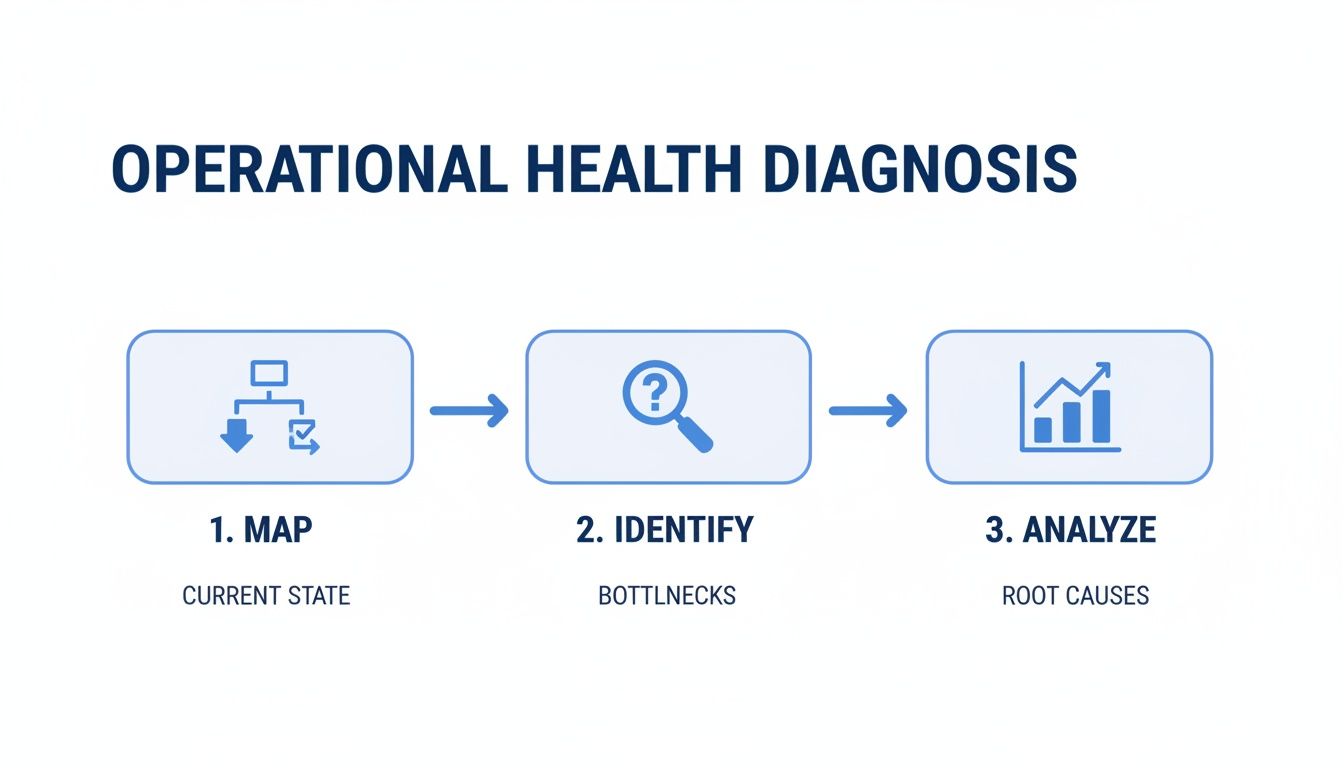
This all starts with mapping out your biggest challenges, figuring out where the best opportunities lie, and then analyzing the potential payoff of each change.
This simple three-step flow is your diagnostic toolkit: map your processes, identify the bottlenecks, and then analyze their impact. Following this sequence ensures your roadmap is built on a solid foundation of data, not just guesswork.
Prioritize Opportunities with an Impact-Effort Matrix
After your initial review, you’ve probably got a long list of potential fixes. Trying to tackle them all at once is a surefire way to get nothing done. The secret to making real headway is ruthless prioritization.
I’ve always found that a simple impact-effort matrix works wonders here. It’s a straightforward tool that helps you sort your ideas into four buckets, making it crystal clear where to start.
Quick Wins (High Impact, Low Effort): These are your no-brainers. Jump on them immediately. Think about automating a repetitive weekly report that eats up hours of someone’s time. The fix is simple, and the payoff is immediate.
Major Projects (High Impact, High Effort): These are the big, game-changing initiatives. For a consulting business, this could mean implementing an AI-powered project management tool that predicts resource needs. They require serious planning, but the long-term rewards are massive.
Fill-ins (Low Impact, Low Effort): These are the “nice-to-haves.” You can sprinkle these in when you have some downtime, but don’t let them distract you from the main event.
Thankless Tasks (Low Impact, High Effort): Just don’t. These are resource drains with little to no return. Put them on the back burner indefinitely and focus your energy where it counts.
Plotting your opportunities on this matrix gives you a visual game plan. Nailing a few quick wins early builds momentum and shows everyone that this plan is working, which is crucial for getting buy-in on the bigger, tougher projects down the line.
Connecting Problems to AI-Powered Solutions
With your priorities straight, it’s time to play matchmaker: connect your operational headaches to the right AI solutions. Honestly, this is where a lot of leaders get stuck. The AI world is noisy and can feel overwhelming.
This is often where an experienced AI consulting partner can be invaluable. They act as a translator, bridging the gap between your business needs and the technology that can meet them.
An expert can look at a persistent issue with client communication and suggest a generative AI tool to help draft emails and reports. Or they might see your struggle with inventory forecasting and know it’s a perfect job for a machine learning model that chews through historical sales data.
The goal is to free up your best people to do high-value work instead of getting bogged down in admin tasks. Your plan should be built on that same logic.
Developing Your Strategic Blueprint
Your roadmap is more than a to-do list; it’s a strategic document. It’s the blueprint that will guide your execution and keep every action tied to your bigger business goals.
A solid plan clearly defines the scope of each project, what success looks like, and exactly how you’ll measure it. This document transforms operational headaches into real growth opportunities. If you’re looking for a great framework to get started, our comprehensive guide on creating a digital transformation roadmap offers a detailed structure you can adapt. Your blueprint ensures you’re not just plugging in technology, but truly evolving how your business operates for the better.
Time to Roll Up Your Sleeves: Implementing Targeted AI Automations
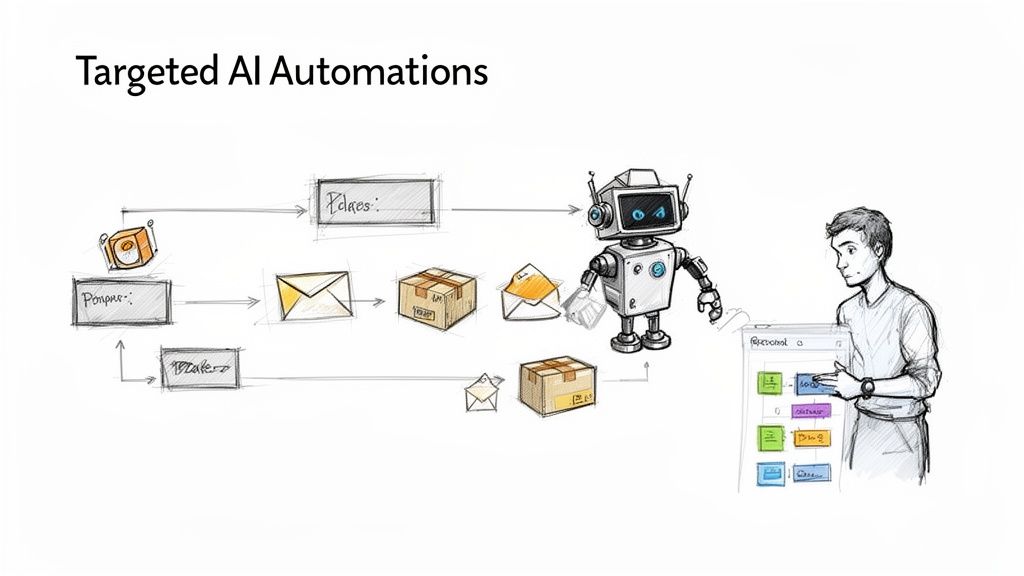
Alright, you’ve got your roadmap. Now for the fun part: turning that strategy into real, working automations. This is where we stop talking and start doing, deploying AI solutions that finally kill off the tedious work and smooth out those clunky core processes. The whole point is to free up your team’s brainpower for the work that actually needs a human touch.
This isn’t about some far-off, abstract concept. Think of a marketing agency using an AI tool to analyze campaign performance data in real-time, automatically adjusting ad spend to maximize ROI. Or picture a consulting firm that uses an NLP tool to instantly read, categorize, and route new client emails to the perfect expert on the team, cutting response times from hours to minutes.
These are the kinds of practical applications that really move the needle on operational efficiency. It’s all about being smart and picking the right spots to apply technology for the biggest wins.
Start Small, Win Big: Launch a Focused Pilot Project
Trust me on this one: jumping straight into a massive, company-wide rollout is a recipe for disaster. The smartest way to start is with a tightly focused pilot project. Think of it as a controlled experiment—a chance to test your assumptions, learn fast, and prove the value of the automation before you bet the farm on it.
So, what does a good pilot project look like?
A Crystal-Clear, Measurable Goal: You need to know what success looks like. Something specific, like, “Cut the time we spend on manual invoice data entry by 50% in the next 90 days.”
A Small, Eager Team: Get the people who actually do the work involved from day one. Their buy-in and feedback are gold—they’ll tell you if the solution is actually practical or just a headache.
A Narrow Scope: Keep it simple. Focus on automating a single, well-defined process. Trying to boil the ocean by automating an entire department right out of the gate is asking for trouble.
Here’s a tip from the trenches: a well-run pilot does more than just test the tech; it builds an undeniable business case. Imagine walking into a leadership meeting with hard data showing a 40% drop in errors or a 60% time savings on a specific task. You’re not talking about hypothetically anymore. You’re talking about real money and real results.
This approach takes the risk out of the investment and builds incredible momentum. A small, early win is often the spark that gets the whole organization fired up about what’s possible.
Put the Power in Their Hands with Low-Code Tools
Not too long ago, automation was strictly the domain of the IT department and hardcore developers. Not anymore. The explosion of low-code and no-code platforms has completely changed the game, putting the power to build automations directly into the hands of your operations, marketing, or finance teams.
These tools use simple drag-and-drop interfaces, letting your people connect different apps and build workflows without having to write a single line of code.
Just imagine your finance team, the ones who know the invoicing process inside and out, building their own bot. It could automatically grab invoice attachments from emails, pull out the key data, and pop it right into your accounting software. They build it, they own it, they perfect it.
This approach empowers the subject matter experts to become citizen developers, rapidly creating solutions for their own challenges without waiting in a long IT queue. This is about democratizing improvement and letting teams fix their own problems.
Real-World Examples of Smart Automation
Let’s get down to brass tacks. Here are a few common headaches for service-based businesses and how a little targeted AI automation can solve them:
Client Onboarding: You can automate the entire journey from the moment a contract is signed to the project kickoff. An AI tool can create the new project in your system, assign the initial tasks, and even send a series of personalized welcome emails. It’s a flawless, consistent experience every single time.
Resource Allocation: Instead of guessing, use a predictive model to analyze your project pipeline and forecast your staffing needs for the next quarter. This helps you avoid being overstaffed during lulls or scrambling to hire during a crunch. It’s about optimizing your most valuable asset: your people.
Meeting Black Holes: We’ve all been there. Deploy an AI assistant that joins your Zoom or Teams calls, transcribes the whole thing, and then delivers a perfect summary with key decisions and action items. This one simple automation can save your team hundreds of administrative hours a year.
These aren’t sci-fi dreams. They’re practical AI automations that other consulting and service businesses are already using to get ahead. Each one zeroes in on a specific point of friction and replaces frustrating manual work with smart, efficient automation.
Turning a Small Win into a Company-Wide Revolution
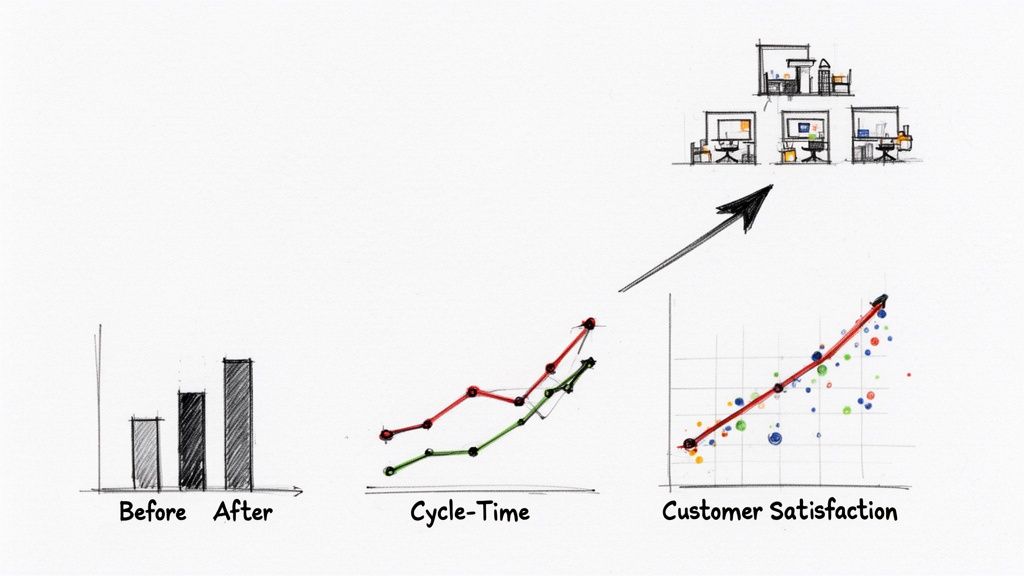
So you’ve run a pilot project and it went great. Fantastic. But now comes the hard part: proving it actually worked and, more importantly, convincing the higher-ups to roll it out everywhere. This is where you need to stop telling stories and start showing the cold, hard numbers.
Without solid metrics, your successful pilot is just a nice anecdote. With them, it becomes an irrefutable business case for more investment. This is how you shift from one-off fixes to building a culture that’s always getting better.
Think of it as creating a feedback loop. You track progress, show the ROI, and build momentum that makes your next project a no-brainer.
Choosing KPIs That Actually Matter
First things first: you have to pick the right Key Performance Indicators (KPIs). Forget vanity metrics. You need to track the numbers that directly connect to the pain points you were trying to solve.
For example, if you automated invoice processing, who cares about the “number of invoices processed”? That doesn’t tell you anything. What really matters is the “average time to process an invoice” or the “error rate.” That’s the real story.
Your KPIs should be laser-focused on the efficiency you’ve gained. Here are a few examples I’ve seen work well:
Client Services: Track the Average Resolution Time for support tickets or see how Customer Satisfaction (CSAT) Scores change after you’ve rolled out an AI chatbot.
Project Management: Measure the total Project Cycle Time from start to finish, or look at the Percentage of Milestones Hit on Time.
Finance & Admin: Get right to the bottom line. What’s the Cost Per Transaction now? How many Manual Rework Hours have you eliminated?
Here’s the key: you absolutely must establish a baseline. Before you touch anything, measure where you are right now. Without that “before” picture, you can never truly prove the impact of your “after.”
Building Your Business Case with Data
With your pilot up and running, your job is to gather evidence. You’re building a narrative, backed by data, that you can confidently walk into any executive’s office with.
One of the most effective ways to do this is with a simple “before-and-after” snapshot.
Metric
Before Pilot (Baseline)
After Pilot (90 Days)
Improvement
Invoice Processing Time
4.5 hours
30 minutes
-88%
Data Entry Error Rate
7%
0.5%
-93%
Team Hours on Task
20 hours/week
2 hours/week
-90%
Numbers like these are incredibly hard to argue with. This table instantly answers the “so what?” question and translates your operational tweaks into a language that leadership understands: time saved, costs cut, and risk reduced.
From a Single Win to a Scalable System
A successful pilot is your launchpad, not the destination. The real magic happens when you scale that success across the entire organization. This is how you create a genuine competitive advantage.
But scaling isn’t just about handing everyone the same piece of software. It’s about creating a playbook. This means documenting the new workflow, putting together clear training materials, and making sure your tech stack can handle the load. You’re turning one team’s breakthrough into the company’s new standard.
For AI and data consultancies, this could mean taking a successful data validation script built for one client project and turning it into a standardized, reusable tool for all future engagements. This not only saves immense time but also improves the quality and consistency of your deliverables, directly impacting client satisfaction and your firm’s reputation.
You might not be building a global supply chain, but the principle holds. A small, well-executed automation project, when scaled strategically, can fundamentally change how your business operates, turning a minor improvement into a major competitive edge.
It’s All About the People: Building a Culture of Constant Improvement
Let’s be honest. You can have the slickest AI automations and the most brilliant workflows on the planet, but they’ll fall flat if your team isn’t on board. Technology is only half the puzzle. The other, and frankly more important, half is building a culture where getting better every day is just how you do things.
This final piece is all about the human element. It’s about shifting the collective mindset from, “Well, this is how we’ve always done it,” to “Hmm, how can we make this better?” When your team gets excited about new processes instead of dreading them, you’ve hit the jackpot for sustainable growth.
First Things First: Explain the “Why”
Resistance to change is almost never about the technology itself. It’s about a fear of the unknown. Your first job as a leader is to get out ahead of that fear with a message that’s clear, compelling, and consistent. You have to sell the “why” behind every new tool or process change.
This is way more than a single all-hands email. It’s about showing your team, in real terms, how these changes will make their daily grind better. Frame automation as the new hire that takes care of all the boring, repetitive junk so they can focus on the creative, strategic work that actually requires a human brain.
The story you tell should always be about empowerment, not replacement. When people see that new tools are there to make them better at their jobs—not to make their jobs disappear—you start building trust and genuine buy-in.
To make the message land, use concrete examples. Show them the before-and-after. “Remember spending ten hours every month pulling that report? Now it takes five minutes, which frees you up to actually analyze the data and find opportunities.” That’s a story that resonates.
Build Skills and Confidence with Real Training
Once you’ve sold the “why,” you have to deliver the “how.” Just dropping a new system on your team without proper training is a recipe for frustration and failure. Good training builds both the competence and the confidence people need to actually adopt new ways of working.
But a one-size-fits-all training deck won’t cut it. Your training needs to be:
Role-Specific: The finance team needs to learn an AI tool differently than the marketing team. Tailor your training to their specific workflows and pain points.
Hands-On: Nobody learns from a 90-slide PowerPoint. Get people into a sandbox environment where they can click around and experiment without the fear of breaking something important.
Ongoing: Learning isn’t a one-time event. Offer a mix of quick video tutorials, live Q&A sessions, and a library of guides they can refer back to anytime.
This investment in upskilling sends a powerful message: we are investing in you. It proves you value their growth and are committed to helping them succeed as the workplace evolves.
Turn Everyone into an Innovator
The ultimate goal here is to create a company where everyone feels a sense of ownership over making things work better. This happens when improvement isn’t just a top-down order, but a bottom-up movement. You need to create simple ways for your team to flag problems and pitch their own ideas.
One of the easiest ways to do this is with a dedicated Slack channel for process ideas, a monthly “what’s broken?” brainstorming session, or even a simple form where anyone can submit a suggestion.
The magic happens when you act on those ideas. When an employee sees their small suggestion get implemented, it’s a powerful motivator for them and everyone around them to keep looking for ways to improve. This is how you weave continuous improvement into your company’s DNA, making it just part of the daily routine.
This all-in approach is critical because technology alone isn’t a magic wand. For AI and data consulting businesses, the true value of new tools is only unlocked when they are paired with smarter processes and an empowered team that can adapt quickly to new client needs and technological shifts.
Your Top Questions About Operational Efficiency, Answered
Jumping into a big operational efficiency project can feel a little daunting. Over the years, I’ve noticed that leaders tend to ask the same kinds of questions when they’re starting out—where to begin, how to handle the people side of things, and what results to expect. Let’s tackle those head-on so you can move forward with confidence.
Where Should a Small Business Start with AI Automation?
The absolute biggest mistake I see is trying to boil the ocean. Don’t try to automate everything at once. The real wins come from starting small and getting a quick, focused victory.
You’re looking for the perfect first target: a task that’s high-volume, mind-numbingly repetitive, and follows a clear set of rules.
For most consulting or service-based businesses, some low-hanging fruit includes:
Automating how new client support tickets get routed to the right person.
Pulling data from standard invoices to kill manual data entry.
Scheduling all those routine social media posts or client appointment reminders.
Nailing a small pilot project in one of these areas does more than just save a few hours. It builds incredible momentum and, more importantly, gives you a rock-solid, data-backed case for getting the budget for your next, more ambitious project.
So many people get tripped up by aiming for a complex, multi-department workflow right out of the gate. My advice? Pick one specific, frustrating task that everyone hates. Fixing a single, tangible bottleneck proves the concept and earns you the trust you’ll need for bigger changes down the road.
How Do I Get My Team on Board with These Changes?
This is all about communication, and it has to be transparent. You need to frame automation for what it is: a helpful assistant that’s here to eliminate their most tedious work, not to replace them. The goal is to free them up for the more interesting, strategic parts of their jobs—the stuff that actually requires a human brain.
The best way to do this is to bring them into the process from the very beginning. Ask them! They know exactly which parts of their day are the most frustrating and ripe for improvement. Their insights are gold. And when you do launch a new tool, make sure you provide fantastic, hands-on training so everyone feels comfortable and confident.
Finally, you have to celebrate the wins, together. When a new automation takes a painful process from ten hours of work down to just ten minutes, make that victory visible to everyone. It shows them the direct, positive impact on their own work lives.
What’s a Realistic Timeline for Seeing Results?
For a tightly-scoped pilot project, you can get meaningful results and compelling data within a single quarter—think 90 days. For example, automating a specific data entry workflow can show a measurable drop in errors and hours spent in just a few weeks. It’s that fast.
Bigger initiatives, like a full process redesign that touches multiple departments, will naturally take longer. You’re probably looking at six to twelve months to fully implement and see the ripple effect across the organization. The trick is to focus on iterative improvements, not a single “big bang” launch. This way, you start delivering value much faster and can tweak your plan based on what’s actually working.
Ready to turn your operations from a cost center into a true growth engine? The experts at NILG.AI build custom AI solutions that bust through bottlenecks and unlock your team’s real potential. Request a proposal
Like this story?
Subscribe to Our Newsletter
Special offers, latest news and quality content in your inbox.
Signup single post
Recommended Articles
Article
Transform Your Growth with custom ai software development in 2026
Apr 1, 2026 in
Guide: Explainer
Explore how custom ai software development can boost efficiency, cut costs, and deliver measurable value - find trusted partners and practical steps for 2026.
Discover how AI for customer service can transform your support operations. Learn practical strategies to reduce costs, improve satisfaction, and drive growth.
How Might We Statements: Turn Challenges into Opportunities
Mar 15, 2026 in
Guide: Explainer
Discover how might we statements transform complex challenges into real opportunities. Learn practical crafting tips, workshops, and real-world examples.
We use cookies on our website to give you the most relevant experience by remembering your preferences and repeat visits. By clicking “Accept All”, you consent to the use of ALL the cookies. However, you may visit "Cookie Settings" to provide a controlled consent.
This website uses cookies to improve your experience while you navigate through the website. Out of these, the cookies that are categorized as necessary are stored on your browser as they are essential for the working of basic functionalities of the website. We also use third-party cookies that help us analyze and understand how you use this website. These cookies will be stored in your browser only with your consent. You also have the option to opt-out of these cookies. But opting out of some of these cookies may affect your browsing experience.
Necessary cookies are absolutely essential for the website to function properly. These cookies ensure basic functionalities and security features of the website, anonymously.
Cookie
Duration
Description
cookielawinfo-checkbox-analytics
11 months
This cookie is set by GDPR Cookie Consent plugin. The cookie is used to store the user consent for the cookies in the category "Analytics".
cookielawinfo-checkbox-functional
11 months
The cookie is set by GDPR cookie consent to record the user consent for the cookies in the category "Functional".
cookielawinfo-checkbox-necessary
11 months
This cookie is set by GDPR Cookie Consent plugin. The cookies is used to store the user consent for the cookies in the category "Necessary".
cookielawinfo-checkbox-others
11 months
This cookie is set by GDPR Cookie Consent plugin. The cookie is used to store the user consent for the cookies in the category "Other.
cookielawinfo-checkbox-performance
11 months
This cookie is set by GDPR Cookie Consent plugin. The cookie is used to store the user consent for the cookies in the category "Performance".
viewed_cookie_policy
11 months
The cookie is set by the GDPR Cookie Consent plugin and is used to store whether or not user has consented to the use of cookies. It does not store any personal data.
Functional cookies help to perform certain functionalities like sharing the content of the website on social media platforms, collect feedbacks, and other third-party features.
Performance cookies are used to understand and analyze the key performance indexes of the website which helps in delivering a better user experience for the visitors.
Analytical cookies are used to understand how visitors interact with the website. These cookies help provide information on metrics the number of visitors, bounce rate, traffic source, etc.
Advertisement cookies are used to provide visitors with relevant ads and marketing campaigns. These cookies track visitors across websites and collect information to provide customized ads.