AI Automations • AI Strategy • AI4business • Artificial Intelligence •
The 12 Best AI Tools for Small Business to Boost Growth in 2026
NILG.AI on Feb 6, 2026
?>
Trying to find the best AI tools for small business can feel like searching for a needle in a digital haystack. You know AI can save you time, cut costs, and unlock new growth opportunities, but where do you even start? The market is flooded with options, and every tool promises to be a game-changer. This guide is built to cut through that noise.
We’ve done the heavy lifting for you, creating a practical, no-fluff roundup of AI platforms that genuinely deliver value for small businesses. Forget generic marketing copy. We’re giving you a detailed look at what these tools actually do, who they’re for, and what they cost. You’ll find short summaries, core features, ideal use cases, and honest pros and cons for each one. We also include screenshots and direct links to get you started immediately.
Our goal is to help you move from curiosity to action. Whether you need to automate repetitive marketing tasks, generate better content, streamline customer service, or make smarter data-driven decisions, there’s a tool here for you. To grasp the full potential, consider exploring the top features and benefits of AI receptionists for small businesses, which can streamline operations and enhance customer service.
This list is your roadmap. We’ve categorized everything to make it easy to navigate, so you can pinpoint the right solutions for your specific challenges. Let’s dive in and find the tools that will help your business work smarter, not harder.
1. G2
Kicking off a search for the best AI tools for your small business can feel overwhelming, but a great first stop isn’t a specific tool; it’s a marketplace. G2 is a massive, review-driven platform where you can discover and compare thousands of software solutions, including a huge array of AI-powered options. Think of it as your strategic research hub before you commit to any demos or trials.
What makes G2 invaluable is its powerful filtering system. You can specifically view AI categories like Machine Learning, AI Writing Assistants, or Chatbots and then apply a “Small-Business” filter. This immediately narrows the field to tools that are proven to work well for businesses like yours, based on reviews from verified users. You get an unfiltered look at what real SMB owners think, which is pure gold.
Core Features & Use Case
G2’s strength lies in its comprehensive comparison features. You can create side-by-side grids to compare tools on everything from features and pricing to ease of setup and quality of support.
Ideal Use Case: You’ve identified a need (e.g., “we need an AI chatbot”) but have no idea which of the dozens of options are credible, affordable, and easy for a small team to implement. G2 helps you build a high-quality shortlist of 2-3 top contenders.
Practical Tip: Pay close attention to the review matrices. They break down what users liked and disliked, often revealing critical insights about implementation headaches or standout features that aren’t obvious from a vendor’s marketing page.
Pros & Cons
Pros
Cons
Strong Signal for SMBs: Verified reviews from other small businesses give you confidence in a tool’s suitability.
Sponsored Placements: Be aware that the top results can be sponsored, so scroll down to see organic rankings.
Broad Coverage: Almost every AI sub-category is represented, making it a one-stop-shop for initial research.
No Direct Purchase: G2 is a research tool; you must click out to the vendor’s site to actually buy anything.
Similar to G2, Capterra serves as a powerful research directory for discovering the best AI tools for your small business. As a Gartner-owned platform, it offers a massive library of over 1,000 AI products, helping you cut through the noise and find solutions tailored to your specific needs. It’s an excellent starting point for business owners who want a bird’s-eye view of the market before diving into vendor-specific websites.
Capterra shines with its user-friendly interface and practical, at-a-glance information. You can easily navigate categories like AI chatbots or content generation, then filter results by business size, features, and pricing models. The platform often provides screenshots and quick pricing callouts like “starting from,” which saves valuable time when you’re trying to determine if a tool fits your budget.
Core Features & Use Case
Capterra’s strength is its straightforward discovery and comparison engine, supported by helpful buyer guides and curated shortlists that provide additional context.
Ideal Use Case: You need to quickly find and compare three or four AI-powered marketing automation tools that integrate with your existing CRM. Capterra’s filters and integration notes let you build a relevant list in minutes.
Practical Tip: Use their buyer guides. These articles often provide a solid framework for what features to look for and what questions to ask vendors, making you a more informed buyer before you even start a free trial.
Pros & Cons
Pros
Cons
Strong Breadth: Its extensive directory covers nearly every AI software category relevant to SMBs.
Sponsored Results: Like G2, be mindful that vendors can pay for prominent placement in the listings.
Clear Pricing Fields: The “starting from” price snippets are extremely useful for quick budget validation.
Off-Site Purchases: Capterra is a discovery platform; you have to navigate to the vendor’s site to subscribe.
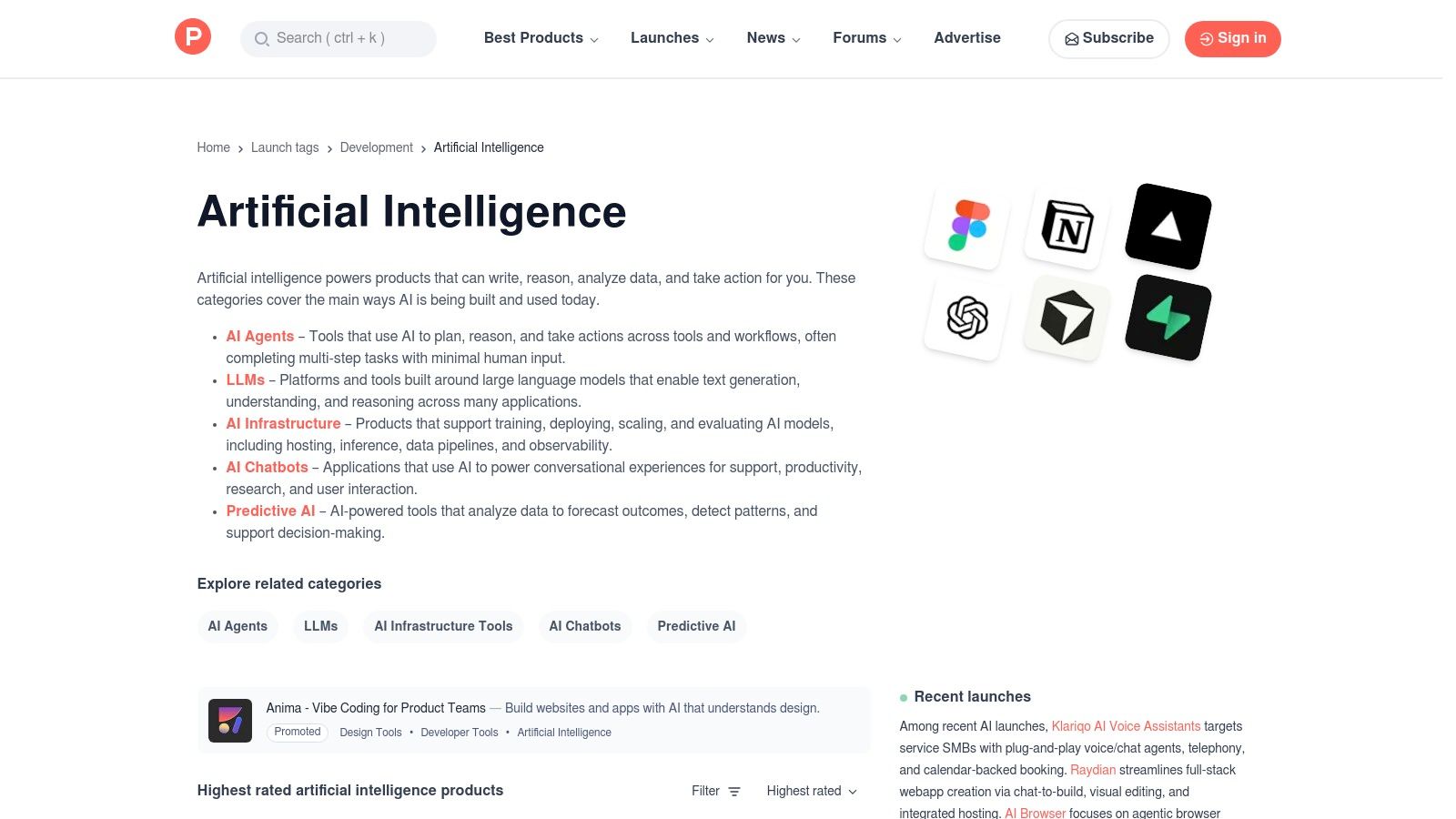
If G2 is the established marketplace, Product Hunt is the exciting, bleeding-edge launchpad for the best AI tools for small business. This platform is where developers and startups showcase their brand-new creations to the world. For a small business owner, it’s a goldmine for discovering innovative, often niche, AI tools before they become mainstream, frequently with special launch-day discounts or generous free tiers.
Product Hunt thrives on its community. New tools are “hunted” and then upvoted, with the most popular rising to the top of the daily leaderboard. This system provides instant social proof, and the comment sections are invaluable, allowing you to ask the founders (or “makers”) direct questions about features, roadmaps, and use cases. It’s like getting a front-row seat to the future of AI software.
Core Features & Use Case
The platform’s strength is its focus on discovery and direct interaction. You can browse curated AI collections or simply check the daily launches to see what’s new and trending.
Ideal Use Case: You want to find a hyper-specific AI tool (e.g., an AI to summarize competitor press releases) or simply stay ahead of the curve by seeing what novel solutions are emerging. It’s perfect for finding a tool that solves a unique problem your bigger competitors haven’t even thought about yet.
Practical Tip: Check out the “Topics” section and navigate directly to the Artificial Intelligence hub. This area is further broken down into sub-themes like “AI Chatbots” or “AI Agents,” making it easy to find tools relevant to your immediate business needs.
Pros & Cons
Pros
Cons
Early Access & Deals: Get first dibs on new tools, often with launch-day discounts or lifetime deals.
Varying Quality: Many tools are in beta or early stages, so stability and long-term support can be uncertain.
Direct Maker Access: You can ask the founders questions directly in the comments, providing unique insights.
Limited Vetting: Unlike a formal marketplace, the tools here haven’t undergone extensive enterprise-level review.
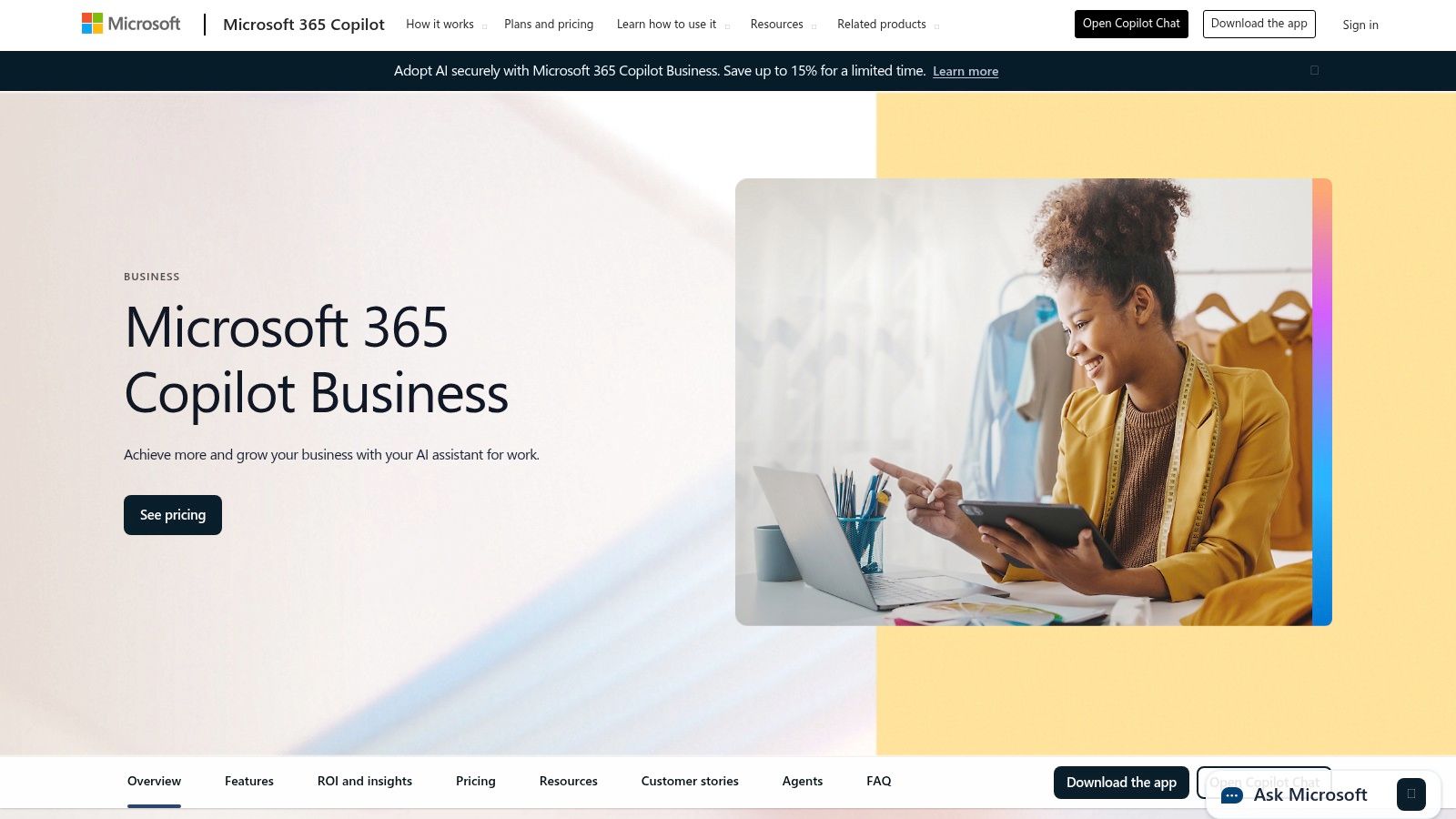
For small businesses already embedded in the Microsoft ecosystem, integrating AI doesn’t have to mean adding another disconnected tool. Microsoft 365 Copilot brings AI capabilities directly into the Office apps you use daily, like Word, Excel, PowerPoint, and Teams. It acts as an intelligent assistant, helping you draft documents, summarize long email threads, analyze data in spreadsheets, and even create presentations from a simple prompt.
What makes Copilot stand out is its deep integration with your company’s data via the Microsoft Graph. This means its suggestions are grounded in your actual work context, like your calendars, emails, and files, making its output far more relevant. This powerful combination highlights the immense benefits of AI in business by streamlining workflows right where work happens.
Core Features & Use Case
Copilot’s core strength is boosting productivity within familiar applications, reducing the learning curve often associated with new AI tools. It includes enterprise-grade security and admin controls, ensuring your data remains protected.
Ideal Use Case: Your team needs to summarize a lengthy Teams meeting transcript to pull out action items, generate a first draft for a client proposal in Word based on past projects, or visualize sales data in an Excel sheet without complex formulas.
Practical Tip: Use the Copilot Studio to build custom, simple AI agents for specific tasks. For example, you could create a bot that answers common employee questions about company policies by drawing from your internal SharePoint documents.
Pros & Cons
Pros
Cons
Deep integration with apps SMBs often already use: Seamlessly works inside Word, Excel, Outlook, and Teams.
Requires qualifying Microsoft 365 plan: Not a standalone product and requires a base subscription.
Enterprise-grade security and compliance controls: Leverages Microsoft’s robust security framework to protect business data.
Value depends on adoption of the Microsoft stack: Less useful for businesses primarily using Google Workspace or other ecosystems.
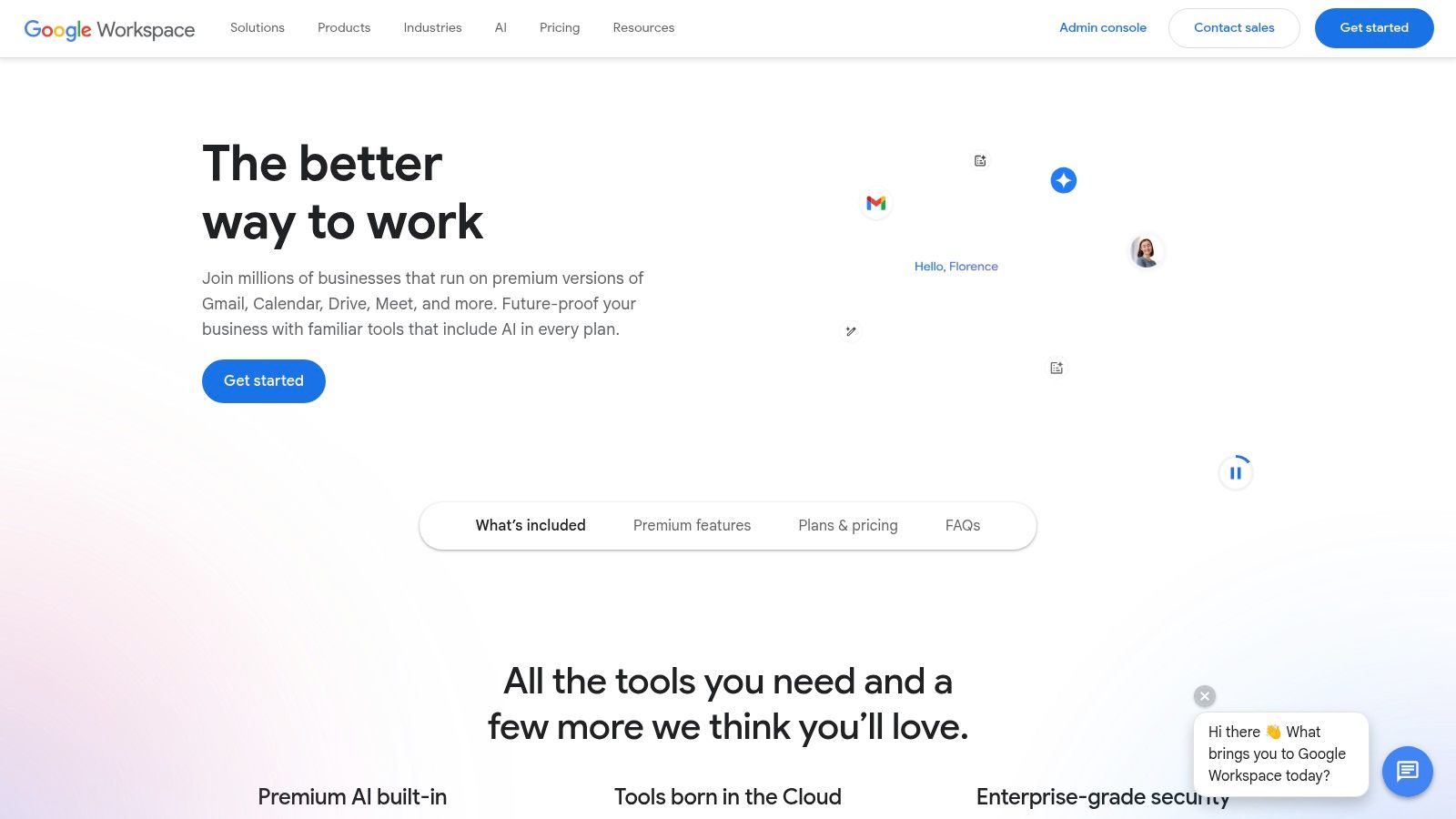
For countless small businesses, the Google suite is already the central nervous system of their daily operations. Instead of adding another separate tool to the mix, Google is embedding powerful AI directly into the apps you already use. With Gemini AI integrated into Workspace, features like drafting emails in Gmail, creating presentations in Slides, or organizing data in Sheets are getting a massive intelligence boost.
This approach makes adopting AI incredibly seamless. There’s no new interface to learn or complex integration to manage; the features appear right where you need them. For a small team, this is a game-changer, as it lowers the barrier to entry and allows everyone to start leveraging AI for productivity gains almost immediately, making it one of the best AI tools for small business teams already in the Google ecosystem.
Core Features & Use Case
The power of Gemini in Workspace is its contextual assistance across the entire suite. It helps you move from a blank page to a finished product faster than ever before.
Ideal Use Case: Your team needs to create a project proposal. You use “Help me write” in Docs to generate a first draft, create custom images for your presentation in Slides from a simple text prompt, and then use AI in Sheets to analyze potential project outcomes.
Practical Tip: Start by using the AI features for low-stakes, repetitive tasks. For instance, let Gemini help you summarize long email threads in Gmail or polish the tone of a client message. This builds confidence before you rely on it for more complex creative work.
Pros & Cons
Pros
Cons
Native AI in Familiar Tools: The learning curve is almost non-existent as AI is built directly into apps like Docs, Sheets, and Gmail.
Staged Feature Rollouts: Not all AI features may be available to all plans immediately; access can be phased.
Per-User Workspace Licensing: AI capabilities are added to existing Business and Enterprise plans, simplifying billing and admin control.
Plan Adjustments: Gaining access to the full suite of AI tools may require upgrading your current Workspace subscription.
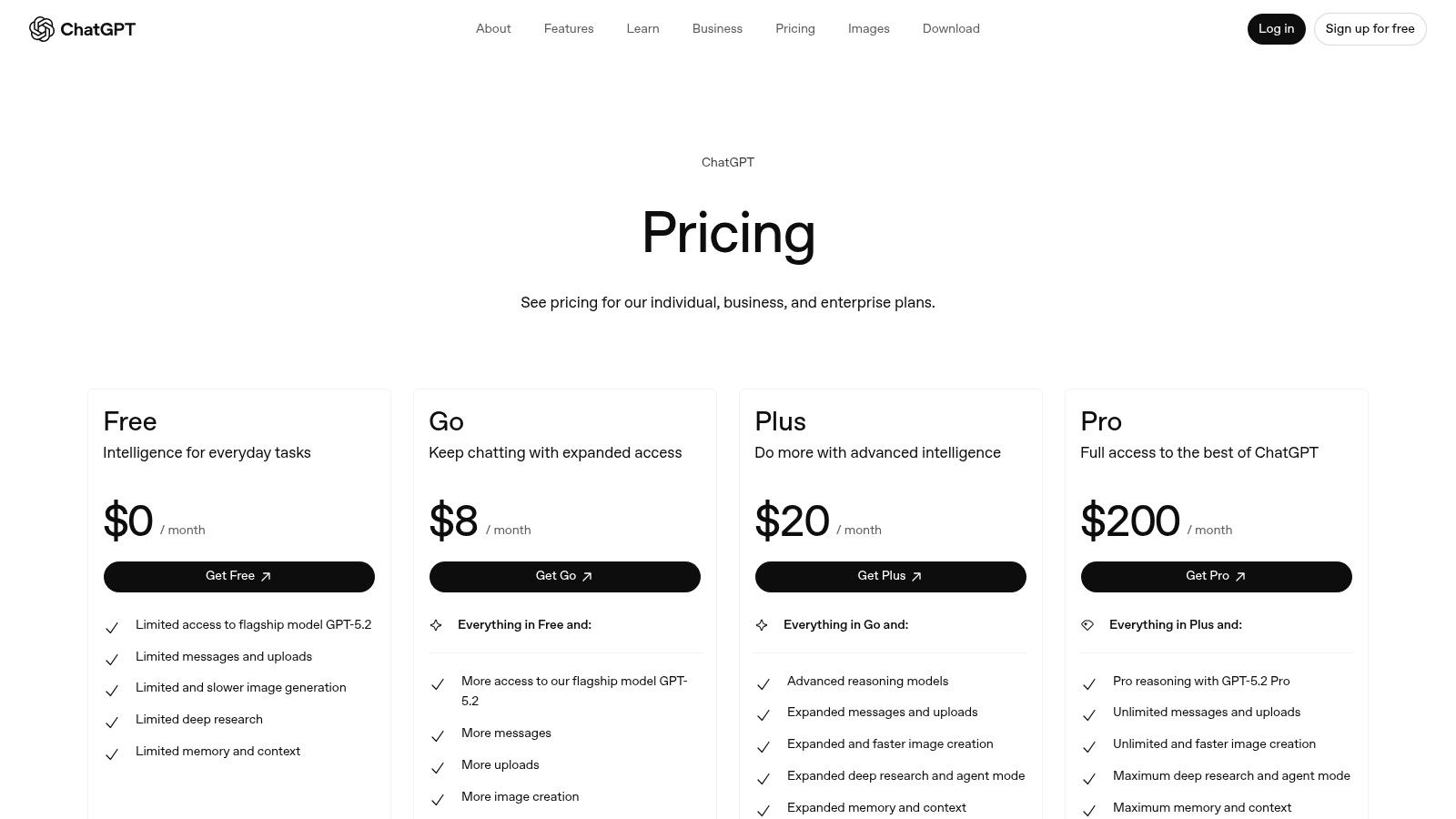
While the free version of ChatGPT is a household name, its business-focused tiers transform it from a personal assistant into a secure, collaborative powerhouse for your entire team. The Team and Business plans are designed specifically for the security and administrative needs of an organization, ensuring that your company’s proprietary data isn’t used for training OpenAI’s models by default. This makes it one of the best AI tools for small business teams looking to safely leverage generative AI across departments.
What sets the business tiers apart are the collaborative features. You get a dedicated workspace where your team can share custom GPTs built for specific tasks, like analyzing sales reports or drafting marketing copy in your brand’s voice. Administrative controls allow you to manage team members and access, turning a public tool into a controlled internal asset. For those wondering how to get started, you can explore detailed guides on how to implement AI in your business.
Core Features & Use Case
ChatGPT for Teams provides higher message caps, faster response times, and advanced tools like data analysis and file handling, all within a secure environment. This empowers your team to work more efficiently without compromising data privacy.
Ideal Use Case: Your marketing, sales, and support teams all want to use ChatGPT, but you need to maintain control over data, ensure consistent usage, and create shared, custom AI assistants tailored to your business processes.
Practical Tip: Build a small library of custom GPTs for common tasks. For example, create a “Marketing Copy GPT” pre-loaded with your brand guidelines or a “Support Ticket Summarizer” to help your customer service team quickly grasp issue contexts.
Pros & Cons
Pros
Cons
Fast Deployment: It offers a low barrier to entry for introducing powerful AI across multiple departments.
Requires Governance: Safe and effective use depends on clear internal policies and employee training.
Rich Ecosystem: The platform integrates with thousands of other tools and has a vast library of custom GPTs.
Usage Limits: Heavier usage may push you into higher-priced tiers or require purchasing additional credits.
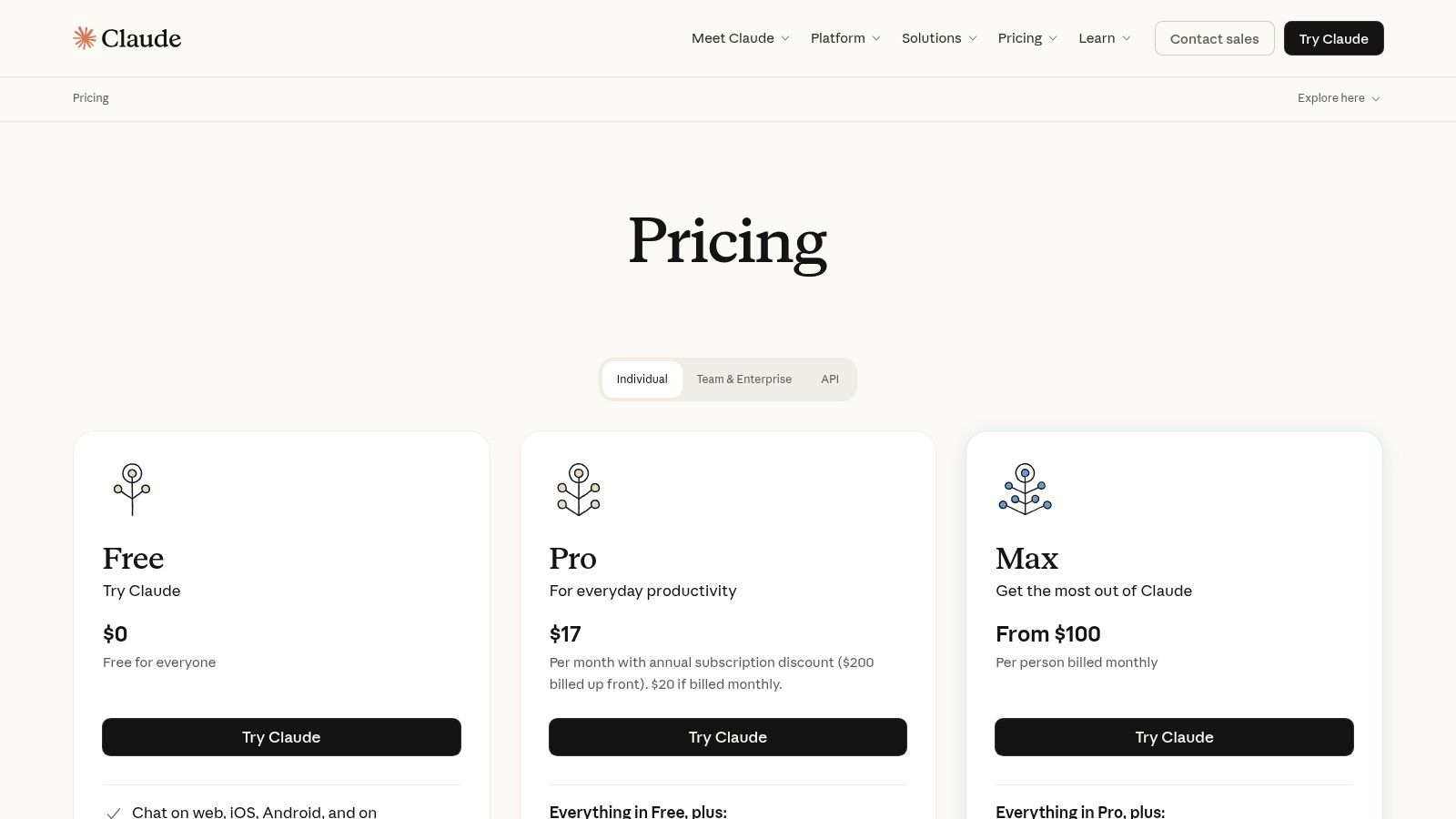
While many AI assistants focus purely on consumer use, Anthropic’s Claude is carving out a niche as a powerful reasoning and writing partner specifically geared for professional and team-based environments. For a small business, Claude acts less like a simple chatbot and more like an analytical team member, capable of processing long documents, spreadsheets, and complex conversations to provide nuanced summaries and insights.
Its key differentiator is a massive “context window,” meaning it can remember and analyze much more information at once than many competitors. This makes it one of the best AI tools for small business teams that need to digest lengthy reports, review complex code, or maintain long, detailed project discussions without the AI losing track of the conversation’s history.
Core Features & Use Case
Claude’s strengths are in its advanced reasoning and its ability to handle large amounts of data, all managed through a clean interface with dedicated team features. It integrates directly with tools small businesses already use, like Google Workspace and Slack.
Ideal Use Case: Your marketing team needs to analyze customer feedback from a 100-page PDF report. You can upload the entire document to Claude and ask it to summarize key themes, identify the most common complaints, and draft an email to the product team outlining potential improvements.
Practical Tip: Use the Team plan’s administrative controls to manage user access and billing centrally. This avoids the hassle of individual employees expensing their own AI subscriptions and keeps your data management unified. For a deeper dive into the technology, you can learn more about how generative AI like Claude works.
Pros & Cons
Pros
Cons
High-quality writing and reasoning: Excels at producing thoughtful, coherent, and sophisticated text.
Costly top tier: The Max model’s pricing can be a significant jump for small businesses on a tight budget.
Generous context and team features: Strong collaboration tools and the ability to process very large documents.
Developing integrations: While core connectors exist, the broader ecosystem of third-party integrations is still growing.
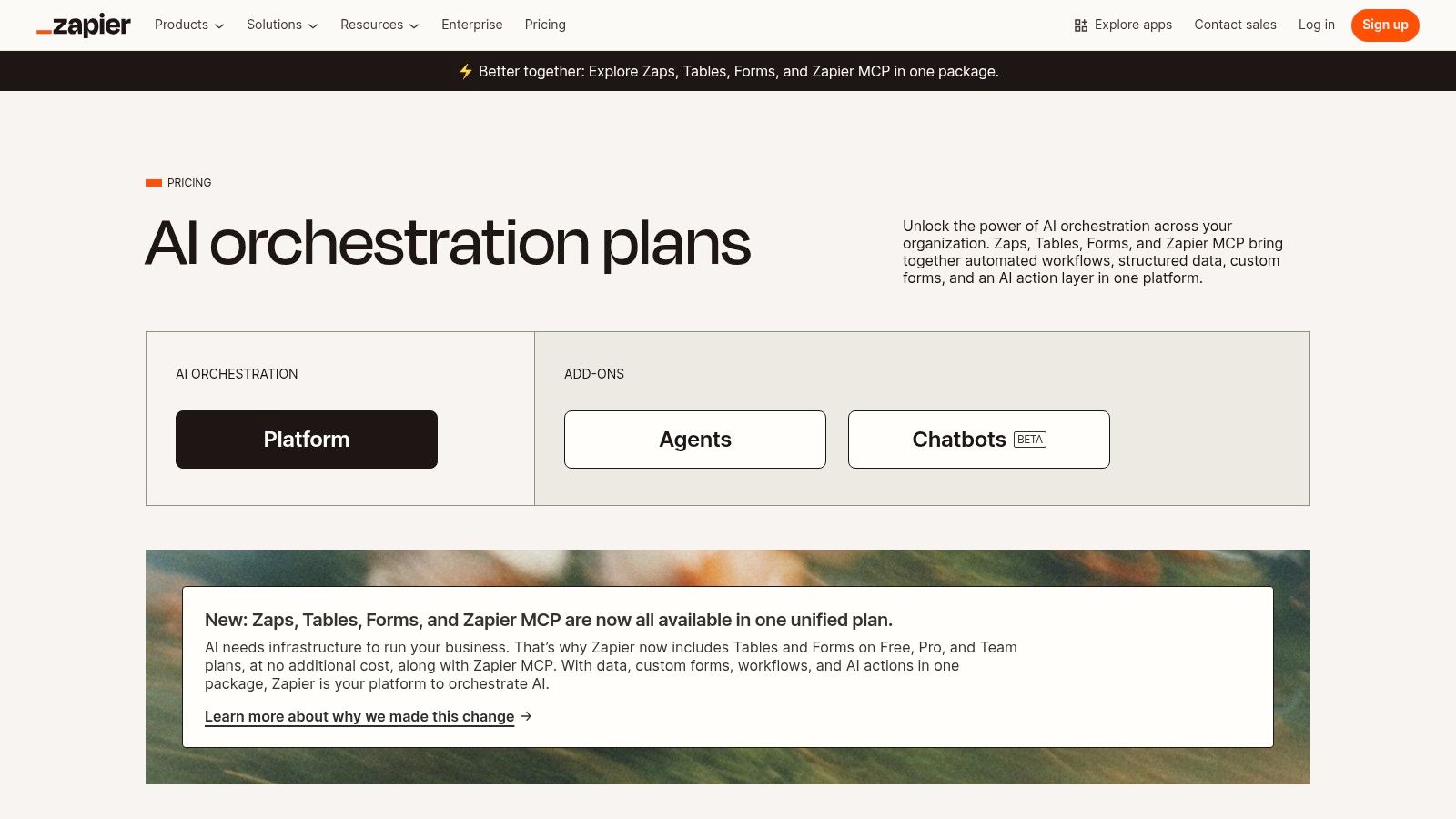
While many tools on this list are standalone AI solutions, Zapier acts as the essential connective tissue between them. It’s a no-code automation platform that lets you link your existing software-as-a-service (SaaS) apps together. Now, with integrated AI capabilities, it has become one of the best AI tools for small business owners looking to orchestrate complex, intelligent workflows without hiring a developer.
Zapier’s magic lies in its “Zaps,” which are simple “if this, then that” automations. You can now insert AI actions directly into these Zaps, such as summarizing an email from a new lead, categorizing customer support tickets using natural language, or even drafting a reply to a social media comment. It democratizes AI, allowing you to embed intelligence into the processes your team already uses every day.
Core Features & Use Case
Zapier’s massive ecosystem of over 6,000 app integrations is its core strength, now supercharged with an accessible AI action layer. This allows you to chain commands across multiple platforms in a single workflow.
Ideal Use Case: You want to automatically analyze incoming customer feedback from a survey form. A Zap can trigger when a new form is submitted, send the text to an AI step to determine the sentiment (positive, neutral, negative), and then add a new row in your CRM with the feedback, sentiment, and a tag for follow-up.
Practical Tip: Start with the pre-built templates. Zapier offers thousands of “Zap templates” that include AI steps, which can give you a powerful starting point for common business automation needs without having to build from scratch.
Pros & Cons
Pros
Cons
Fastest Path to Automation: Seamlessly connects the tools your team already uses, making AI adoption simple.
Task-Based Pricing: Costs can scale quickly at higher volumes, as each step in a Zap (including AI actions) consumes tasks.
Great Documentation: Offers extensive guides and starter templates to help you get started with AI workflows.
AI Steps Consume Tasks: AI-powered steps can use up your monthly task allowance faster than simple automations.
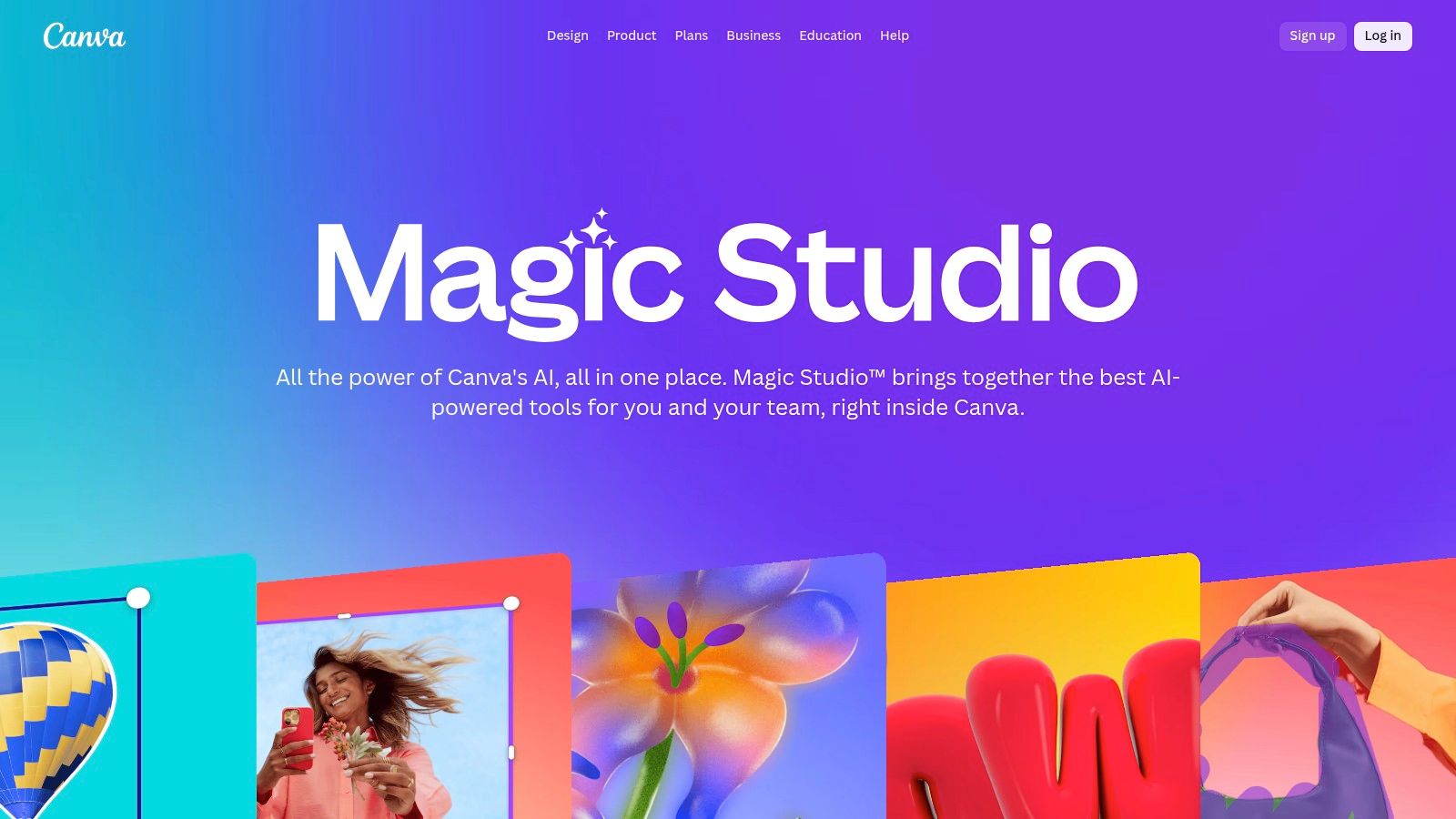
For small businesses that need to create professional-looking marketing assets without a dedicated design team, Canva has long been the go-to. With the introduction of Magic Studio, it has evolved into one of the best AI tools for small business creative work, integrating a full suite of AI-powered features directly into its user-friendly design interface. This isn’t just about templates anymore; it’s about generating unique content on the fly.
What makes Magic Studio so effective for SMBs is its seamless integration. You can generate an image with Magic Media, write ad copy with Magic Write, and then instantly create a dozen different ad formats with Magic Design, all within one platform. This consolidates the creative workflow, saving immense time and reducing the need to jump between multiple specialized AI tools.
Core Features & Use Case
Canva Magic Studio’s strength is making AI accessible for everyday design and marketing tasks. It embeds AI tools into a familiar and intuitive workflow, removing the technical barriers often associated with generative AI.
Ideal Use Case: Your business needs to quickly produce a variety of on-brand social media posts, email headers, and ad creatives for an upcoming campaign. You can use text prompts to generate visuals, write compelling headlines, and even create short promotional videos without ever leaving Canva.
Practical Tip: Use the Brand Kit feature to upload your company’s logos, fonts, and color palettes. Magic Studio will then use these assets to ensure that all AI-generated designs remain consistent with your brand identity, maintaining a professional look across all materials.
Pros & Cons
Pros
Cons
Quick time-to-value: The learning curve is minimal, allowing teams to produce high-quality assets almost immediately.
Gated Features: Many of the most powerful Magic Studio tools are locked behind a Canva Pro or Teams subscription.
Centralized Brand Assets: Team collaboration features and Brand Kits keep all creative work consistent and organized.
Licensing Rules: Review Canva’s content licensing terms carefully, especially when using AI-generated assets for commercial products.
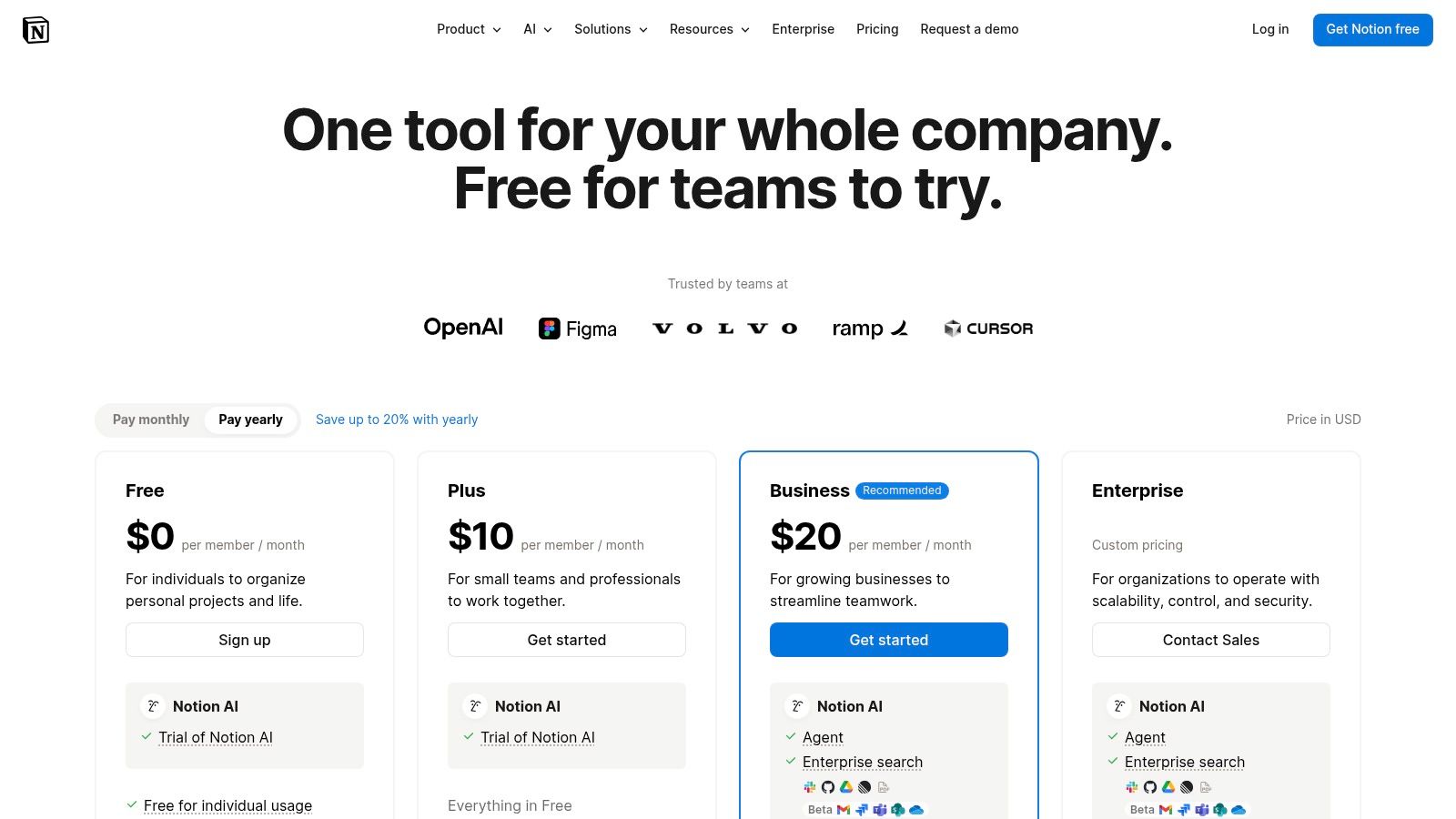
For small businesses drowning in a sea of different apps for documents, wikis, and project management, Notion AI offers a powerful solution by embedding artificial intelligence directly into a unified workspace. Instead of context-switching between a dozen tools, your team can generate, summarize, and organize information all in one place. It transforms your existing knowledge base and project boards into active, intelligent assets.
What sets Notion AI apart is its deep integration into the platform’s core functions. It’s not a separate add-on; it’s woven into every document and database. This makes it one of the best AI tools for small business teams looking to streamline operations, create standard operating procedures (SOPs), and manage projects without adding yet another subscription to their stack.
Core Features & Use Case
Notion AI excels at enhancing productivity within your existing workflows. Its AI can write or translate content within docs, autofill database properties based on context, and help consolidate team knowledge into a single, searchable source.
Ideal Use Case: Your team needs to create a central knowledge hub. You can use Notion AI to instantly summarize long meeting notes, translate documents for international clients, or draft project briefs directly within your project management database, saving hours of manual work.
Practical Tip: Leverage the “AI Autofill” feature in databases. If you have a database of customer feedback, you can create a new column and ask the AI to automatically extract key themes or sentiment from each entry, turning raw data into actionable insights.
Pros & Cons
Pros
Cons
Reduces App Sprawl: Combines knowledge, docs, and projects into one intelligent platform.
Limited on Lower Tiers: Full AI capabilities are now primarily included in the Business and Enterprise plans.
Strong Template Ecosystem: A vast library of templates helps teams get started quickly and effectively.
Requires Team Buy-In: Its true power is only unlocked when the whole team standardizes on using Notion.
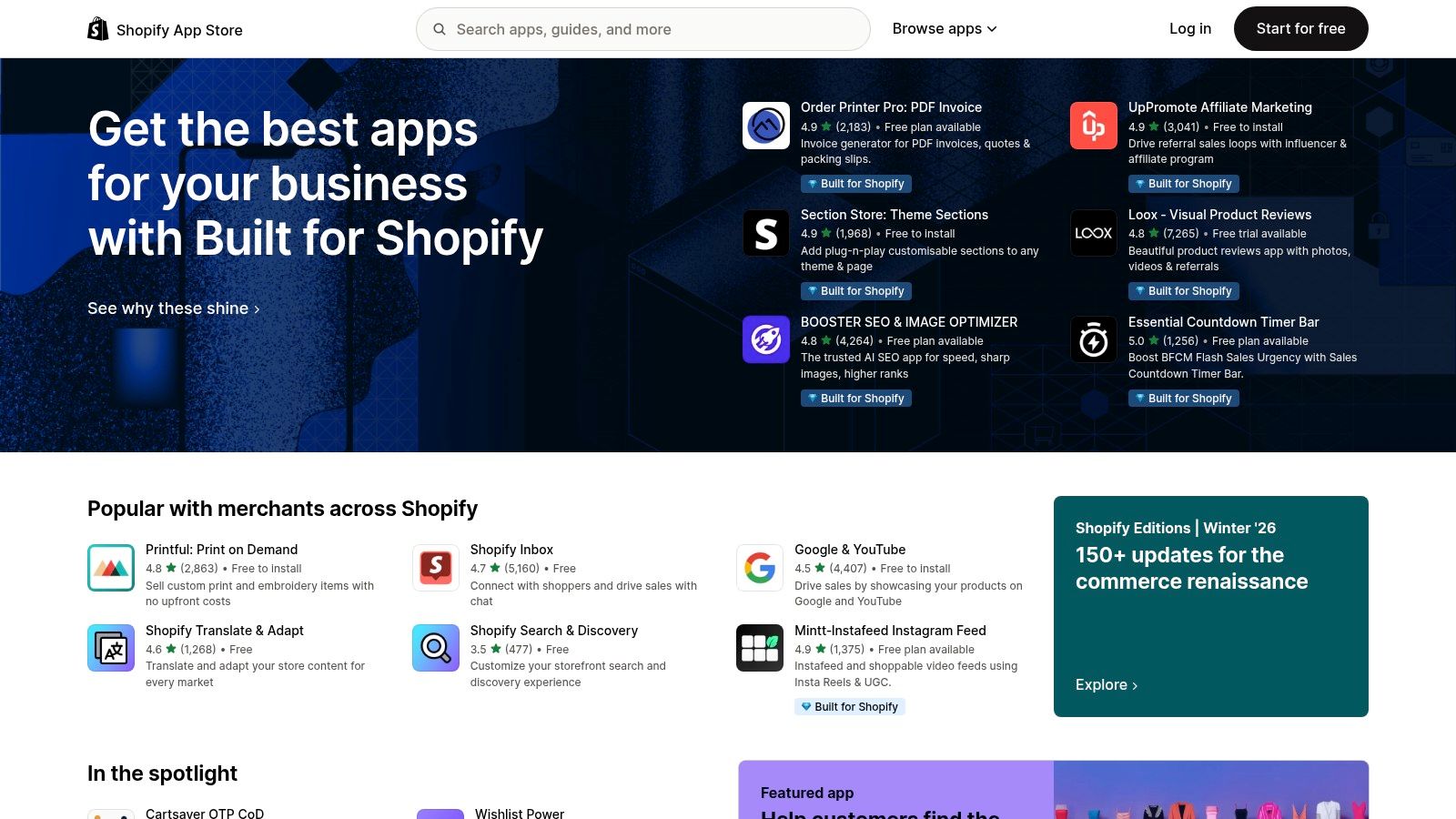
For e-commerce entrepreneurs, finding the best AI tools for a small business doesn’t have to mean searching across the entire web. The Shopify App Store is your dedicated marketplace for injecting AI directly into your online store. It’s a curated ecosystem where you can find everything from AI-powered chatbots and product recommendation engines to automated email marketing and fraud detection, all designed to integrate seamlessly with your Shopify backend.
What makes this platform so powerful is its simplicity. Instead of complex integrations, most apps offer one-click installation. Shopify also centralizes the billing, adding app subscriptions directly to your monthly Shopify bill. This turnkey approach allows you to experiment with powerful AI functionalities without the technical overhead, making it perfect for lean retail teams.
Core Features & Use Case
The store’s strength lies in its tight integration and focus on e-commerce-specific problems. You can easily find, install, and manage tools that directly impact sales and customer experience.
Ideal Use Case: You run a Shopify store and want to add advanced features like personalized shopping recommendations or an intelligent chatbot to handle customer queries 24/7. You can trial several options with free plans before committing.
Practical Tip: Use Shopify’s curated collections like “AI‑powered apps” to discover vetted tools. Always check recent reviews, paying special attention to comments about an app’s impact on site speed and the quality of its customer support.
Pros & Cons
Pros
Cons
Simple Installation: One-click installs and consolidated billing via Shopify make setup incredibly easy.
Varying Quality: App quality varies widely; research reviews and support history before installing anything.
Free Plans Available: Many apps offer free tiers, allowing you to trial AI features with zero financial risk.
Performance Impact: Stacking multiple apps can slow down your store, potentially hurting conversion rates.
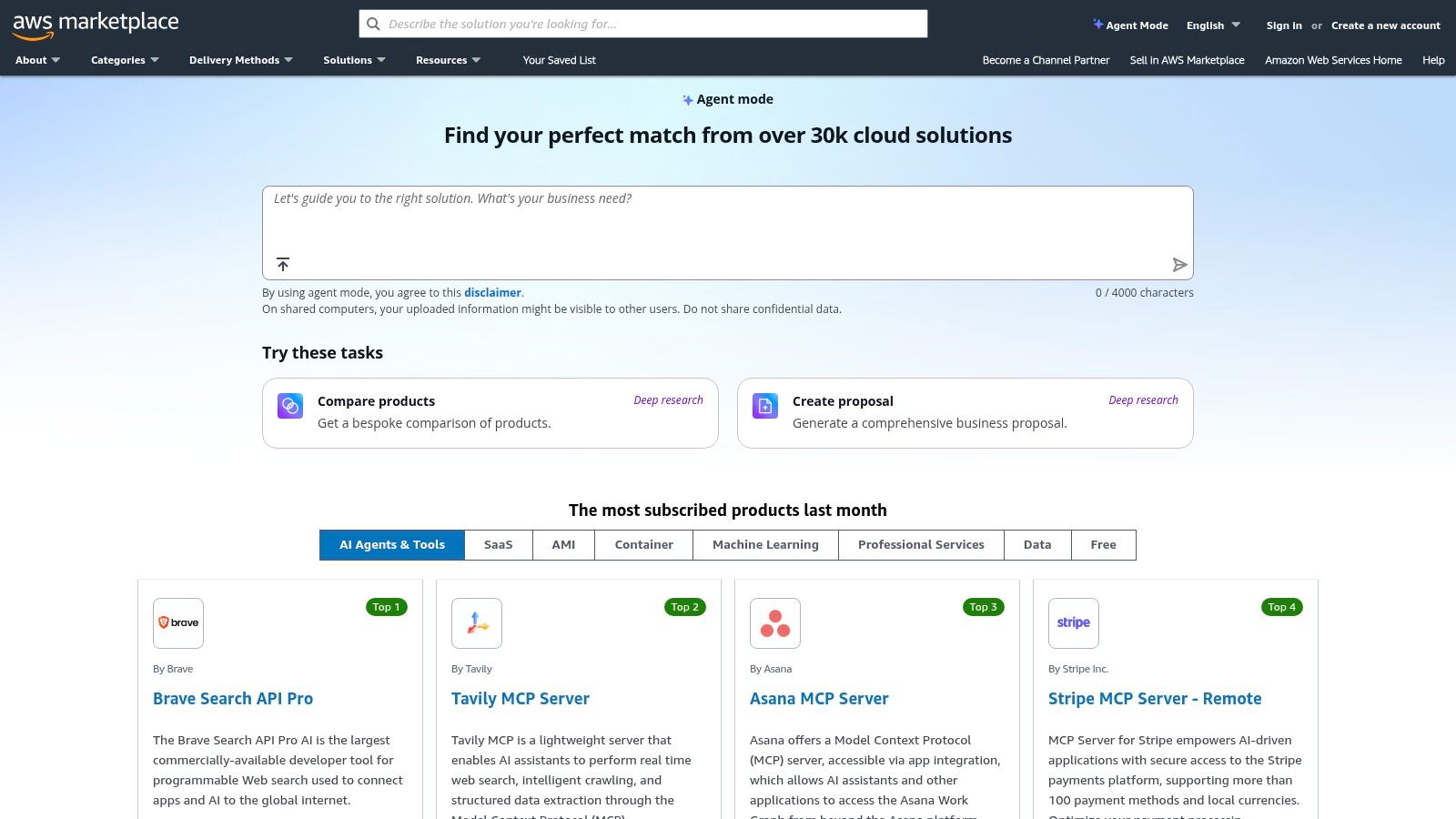
For small businesses already invested in the Amazon Web Services ecosystem, the AWS Marketplace is less of a discovery platform and more of a procurement and deployment hub. It’s a digital catalog where you can find, test, and deploy thousands of software listings, including a vast selection of AI and Machine Learning models, directly within your existing AWS environment. This streamlines everything from billing to vendor management.
Unlike a pure review site, AWS Marketplace is built for action. You can search for AI solutions across categories like Generative AI, Computer Vision, or NLP and subscribe with a single click. The key advantage is that the software is pre-configured to run on AWS services like SageMaker or Bedrock, which can significantly reduce the technical lift for your IT team. It’s one of the best AI tools for small businesses that prioritize technical integration.
Core Features & Use Case
The platform excels at simplifying the administrative side of using third-party AI solutions. Its subscribe-and-deploy model consolidates all your software spending onto a single AWS bill, providing clear governance and cost control.
Ideal Use Case: Your business operates on AWS and your tech lead wants to integrate a specific AI function (e.g., a sentiment analysis model) without the hassle of setting up new vendor contracts, billing, and complex integrations.
Practical Tip: Use the “private offers” feature. If you find a tool you like, you can often negotiate custom pricing and terms directly with the vendor through the marketplace, which is a great perk for SMBs looking for a better deal.
Pros & Cons
Pros
Cons
Centralized Billing & Compliance: All your SaaS and AI model subscriptions appear on your one AWS bill.
Best Suited to AWS Users: The value is minimal if your business isn’t already using AWS services.
Easier Vendor Management: Simplifies procurement and deployment with services like SageMaker.
Technical Setup Can Be Heavier: While integrated, initial setup may still require some technical expertise.
Long context, strong reasoning, workspace apps & connectors
★★★★★
💰 Pro→Max tiers (Max is costly)
👥 Teams needing high‑context assistants
🏆 High‑quality reasoning & long context
Zapier
No‑code automations, templates, AI action steps
★★★★☆
💰 Task‑based pricing (can scale)
👥 Non‑engineering teams automating workflows
🏆 Fast, low‑code cross‑app automation
Canva Magic Studio
Magic Write, Magic Media (images/video), brand kits
★★★★☆
💰 Freemium; advanced AI gated to paid plans
👥 SMB marketers & designers
🏆 Fast on‑brand creative generation
Notion AI
AI writing, autofill, database AI, consolidated workspace
★★★★☆
💰 Included on Business/Enterprise plans
👥 Teams standardizing docs & SOPs
🏆 Combines knowledge, docs & AI workflows
Shopify App Store
Curated AI apps, one‑click install, Shopify billing
★★★★☆
💰 App‑specific pricing; trials common
👥 SMB retailers & ecommerce teams
🏆 Turnkey AI commerce features with Shopify billing
AWS Marketplace
ML/NLP/vision categories, deployable on AWS, private offers
★★★★☆
💰 AWS billing; subscription/deploy pricing
👥 IT‑led SMBs on AWS
🏆 Centralized procurement & deployment on AWS
Final Thoughts
Whew, that was a lot to cover. We’ve journeyed through a landscape packed with some of the best AI tools for small business owners, from integrated powerhouses like Microsoft 365 Copilot and Google Workspace to specialized platforms found on marketplaces like G2 and Shopify. The key takeaway? AI isn’t some far-off, futuristic concept anymore; it’s here, it’s accessible, and it’s ready to become your small business’s most valuable team member.
The tools we’ve explored prove that you don’t need a huge budget or a dedicated data science team to start leveraging artificial intelligence. Whether you’re automating tedious workflows with Zapier, creating stunning marketing assets in seconds with Canva’s Magic Studio, or organizing your entire company brain with Notion AI, these solutions are designed to be user-friendly and deliver immediate value.
Your Action Plan: Moving from Reading to Doing
Feeling overwhelmed by the options is totally normal. The goal isn’t to adopt every single tool on this list. It’s about being strategic. Think of this guide as a menu, not a mandate. Your next steps should be small, intentional, and focused on solving a real problem you face today.
Start by identifying your single biggest bottleneck.
Is it content creation? Maybe experimenting with a tool that helps you repurpose existing content is the perfect first step. For instance, a simple but powerful application is turning a long webinar into bite-sized social clips. A quick guide on creating YouTube Shorts from existing videos can show you how an AI tool can make this process almost effortless, boosting your engagement with minimal work.
Is it administrative overhead? Look at Zapier or the AI features within your existing productivity suite (Microsoft or Google) to automate scheduling, email sorting, or data entry.
Is it customer support? A simple chatbot integration could free up hours each week, allowing you to focus on high-value customer interactions.
The Real Secret to Success: Integration Over Accumulation
Here’s the most important piece of advice: The best AI tools for your small business are the ones that work together and fit seamlessly into your existing processes. Don’t just collect shiny new apps. Instead, focus on building a cohesive “tech stack” where your tools communicate and share data.
Before you commit to a subscription, always ask these questions:
Does this integrate with what I already use? (e.g., your CRM, email marketing platform, accounting software)
Is the learning curve manageable for my team? A powerful tool nobody uses is just a wasted expense.
Does the pricing scale as my business grows? Avoid getting locked into a plan that will become prohibitively expensive later.
Ultimately, adopting AI is a journey of continuous improvement. Start with one tool, master it, measure its impact, and then look for the next opportunity. By taking a thoughtful, problem-focused approach, you can transform your small business into a more efficient, creative, and competitive force in your industry. You’ve got this.
Feeling like you need a strategic partner to help you navigate this complex landscape and build a custom AI solution? NILG.AI specializes in developing and implementing tailored AI strategies that drive real business results, moving beyond off-the-shelf tools to create a true competitive advantage. Request a proposal
Like this story?
Subscribe to Our Newsletter
Special offers, latest news and quality content in your inbox.
Signup single post
Recommended Articles
Article
Your Guide to AI for Operational Efficiency in 2026
Jun 10, 2026 in
Guide: How-to
Unlock business growth by leveraging AI for operational efficiency. Learn a practical roadmap to implement AI solutions and transform your operations.
What Is Cognitive Automation? A Guide to Smarter Business
Jun 6, 2026 in
Guide: Explainer
Stuck on repetitive tasks? Discover what is cognitive automation and how it uses AI to cut costs, boost efficiency, and free up your team for what matters.
We use cookies on our website to give you the most relevant experience by remembering your preferences and repeat visits. By clicking “Accept All”, you consent to the use of ALL the cookies. However, you may visit "Cookie Settings" to provide a controlled consent.
This website uses cookies to improve your experience while you navigate through the website. Out of these, the cookies that are categorized as necessary are stored on your browser as they are essential for the working of basic functionalities of the website. We also use third-party cookies that help us analyze and understand how you use this website. These cookies will be stored in your browser only with your consent. You also have the option to opt-out of these cookies. But opting out of some of these cookies may affect your browsing experience.
Necessary cookies are absolutely essential for the website to function properly. These cookies ensure basic functionalities and security features of the website, anonymously.
Cookie
Duration
Description
cookielawinfo-checkbox-analytics
11 months
This cookie is set by GDPR Cookie Consent plugin. The cookie is used to store the user consent for the cookies in the category "Analytics".
cookielawinfo-checkbox-functional
11 months
The cookie is set by GDPR cookie consent to record the user consent for the cookies in the category "Functional".
cookielawinfo-checkbox-necessary
11 months
This cookie is set by GDPR Cookie Consent plugin. The cookies is used to store the user consent for the cookies in the category "Necessary".
cookielawinfo-checkbox-others
11 months
This cookie is set by GDPR Cookie Consent plugin. The cookie is used to store the user consent for the cookies in the category "Other.
cookielawinfo-checkbox-performance
11 months
This cookie is set by GDPR Cookie Consent plugin. The cookie is used to store the user consent for the cookies in the category "Performance".
viewed_cookie_policy
11 months
The cookie is set by the GDPR Cookie Consent plugin and is used to store whether or not user has consented to the use of cookies. It does not store any personal data.
Functional cookies help to perform certain functionalities like sharing the content of the website on social media platforms, collect feedbacks, and other third-party features.
Performance cookies are used to understand and analyze the key performance indexes of the website which helps in delivering a better user experience for the visitors.
Analytical cookies are used to understand how visitors interact with the website. These cookies help provide information on metrics the number of visitors, bounce rate, traffic source, etc.
Advertisement cookies are used to provide visitors with relevant ads and marketing campaigns. These cookies track visitors across websites and collect information to provide customized ads.